Online Services

Category: Security

  • Breaking Out of Shells at DerbyCon

    I downloaded my first copy of BackTrack when I was 13. I had no idea what I was doing, or how to use it, but I knew that I was hooked. I’ve been fascinated with technology since I was a kid, so the idea that I could interact with that technology in new and unexpected ways was exciting. I followed my passion for technology into my adult life, but had always played it relatively safe. I got into satellite and other RF communications, then found myself working various IT roles. I worked my way up to an admin role for a hosting provider, decided it wasn’t for me, and found myself back where I originally started: information security. I began pursuing a career in InfoSec and rediscovered my passion for red team work, but felt disconnected from the community. I didn’t feel like I had the talent or experience required to get involved in any hackerspaces, and was holding myself back from interacting with other people like myself. This is a story of how I overcame that by doing something I’ve always wanted to do, but never had the social courage to take on: attend a security conference, and involve myself in a community that I’ve always admired from afar.

    This post is Copyright 2018 Defiant, Inc. and was published on the wordfence.com official blog. Republication of this post without permission is prohibited. You can find this post at: https://www.wordfence.com/blog/2018/10/breaking-out-of-shells-at-derbycon/

    DerbyCon is a security conference that puts an emphasis on learning and collaboration, while also promoting hospitality and family values. It takes place in Louisville, KY each fall and ticket sales are limited in order to promote a more intimate and welcoming experience. Conceptualized in a pizza shop by a group of friends, the conference was intended for a community of peers, learning from one another. With so much thought clearly put into the conference planning, it seemed like the perfect opportunity for anyone looking to connect with the InfoSec community for the first time. None of us at Defiant had ever been to DerbyCon, so a few of us had the opportunity to check it out.

    Upon my arrival I made the typical rounds, speaking to vendors and checking the clever swag they give out to attendees. As I explored the venue I noted the thought put into simple things, like the group-friendly seating in the main conference area and water coolers every twenty yards or so. The organizers certainly accomplished their goal of making attendees feel welcome, because after only an hour I was interacting and connecting with new people. It didn’t matter what they were doing, whether or not I was familiar with the technology, or what their title might be; each person I spoke with was excited to share their passion and knowledge, and was open to questions. I met many interesting and impressive people, and through our conversations I finally understood something that I’ve been repeatedly advised: everyone struggles with something, and that’s okay. The community is there to help, as long as you’re open and honest in those conversations.

    Sitting in talks was a great way to be introduced to new ideas, techniques, and technology, because it removed the pressure of admitting when something was new. The talks available at DerbyCon spanned many subject fields, but they were kept to a reasonable number so that attendees rarely felt pressured to choose between two talks that held their interest. Whether you were into exploiting Ubiquiti networks and IOT devices, getting into buildings via bypassing physical security measures, Google dorking, or even some friendly social engineering, there was always something interesting going on in a track or a stable talk.

    I visited each village in turn, and simply marveled at the amount of knowledge sharing and collaboration I witnessed. I saw locksmiths helping hobbyists learn how to use their new rake or plastic shim in the lockpicking village, and got the time to pick through a few locks myself. The vendors onsite were happy to show off the various tools and techniques employed by locksmiths, and offer advice to anyone struggling with a particular lock or tool. A short walk would take you to the car hacking village, the hardware hacking village, or even a room dedicated to ham radio and chess. The social engineering village offered a two-day panel with industry experts, as well as a Mission Impossible themed challenge that pitted volunteer contestants against obstacles like handcuffs, locks, and a laser grid. It’s no secret that our field contains a high percentage of individuals who struggle with mental health concerns like anxiety, depression, and imposter syndrome, so DerbyCon thoughtfully included a Mental Health Village. If the crowds became too much, it was a calm place to find your bearings, sip some tea, and maybe even sharpen your crafting skills.

    A large portion of any conference will be the content provided in the talks, as well as the hands-on experiences gained by participating in the villages, and DerbyCon certainly delivered in those areas. One thing I didn’t expect was the global collaborative and accepting mindset that seemed to be shared by most. Walking through the halls, I saw people from different backgrounds, ideologies, and skill sets talking and working together. I overheard conversations where experienced developers or engineers were explaining programming theory to someone who’d never written a line of code. I saw physical intrusion and social engineering experts breaking down their techniques to people who spend most of their time behind a keyboard. It didn’t seem to matter what you knew, only that you wanted to learn.

    It was great seeing Winn and the gang heckle teams brave enough to go onstage to compete in Hacker Jeopardy. The questions spanned a large range of topics, and several questions stumped the teams and had to be passed to the audience. Not answering in the form of the question would earn a little friendly humiliation, but answering correctly would earn a free shirt and roaring applause. This general mindset of being tough on issues and playfully tough on people, really took me out of my comfort zone, and allowed me to interact with others without feeling the need to explain myself. Once the doors closed for the day, groups spilled out onto the sidewalks, and into various restaurants and bars around town. The odd collections of professionals and enthusiasts carried their antics out into the public, where spirited debates and complicated conversations could continue to evolve organically. In my personal experience, many of those after-hours conversations held as much weight as any of the experiences I had within the conference walls. It was hard not to get swept up in everyone’s excitement with the novelty of it all, like the guy covered in neon broadcasting song lyrics as WiFi SSIDs.
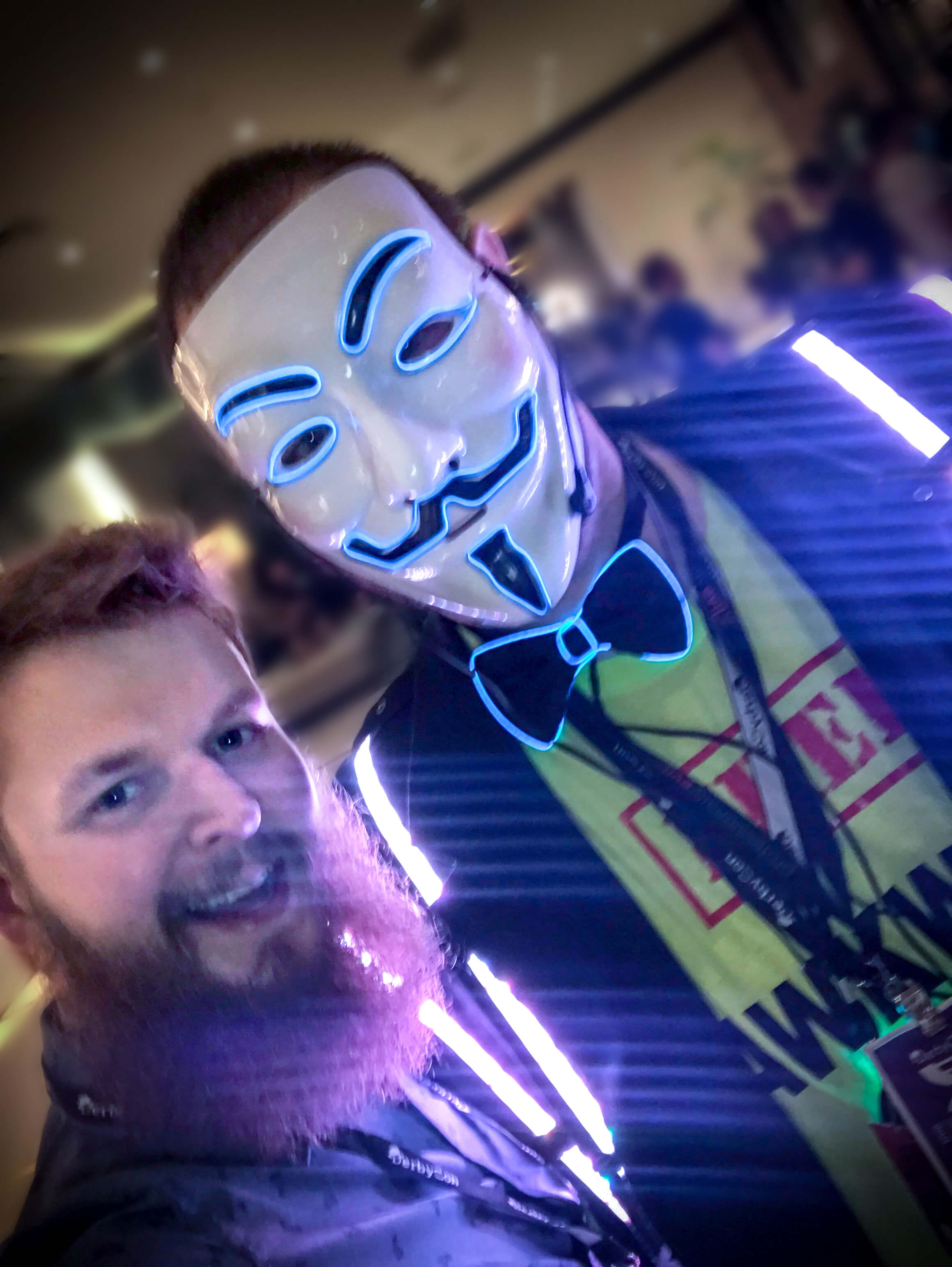
    Photo used with permission from @securid


    “A trade show for practitioners” is a description that I heard from another attendee over the course of the weekend, and I couldn’t agree more. While I regret not getting involved in the community sooner, DerbyCon was exactly what I needed to break out of my own shell, and interact with others as passionate about security as I am. If you’re passionate about information security, and are concerned about involving yourself in the community for any reason, keep in mind that everyone is there to learn and collaborate. My advice for attending your first security conference: simply remain honest, open, and ready to learn and make connections with other people like yourself. I’d like to thank the organizers, speakers, and attendees for coming together to put together something that impacted me, and others like me, in such a meaningful way. I look forward to seeing you at the next con!

    The post Breaking Out of Shells at DerbyCon appeared first on Wordfence.

  • Three WordPress Security Mistakes You Didn’t Realize You Made

    Considering the amount of malicious activity that takes place on the internet, it’s no surprise that successful attacks on WordPress sites are launched across a wide variety of vectors. Whether outdated plugin code is to blame, or password reuse, or any number of other security flaws, no site owner sets out to introduce a vulnerability into their environment. Ultimately any security issue begins with a mistake, and while mistakes are forgivable there’s still risk involved if they’re not discovered and remedied.

    This post is Copyright 2018 Defiant, Inc. and was published on the wordfence.com official blog. Republication of this post without permission is prohibited. You can find this post at: https://www.wordfence.com/blog/2018/10/three-wordpress-security-mistakes-you-didnt-realize-you-made/

    In today’s post, we’ll look at a few common mistakes made by owners of WordPress sites that can create security concerns. These mistakes aren’t strictly application-specific, but are issues many WordPress users will encounter in the course of running their site.


    Mistake 1 – Abusing Addon Domains

    In the era of one-stop-shop customer experiences, it can be attractive for a WordPress design agency to be able to offer site hosting to their clients. However, when corners are cut in the implementation of such solutions, security flaws begin to surface.

    Web hosts commonly make use of user-friendly control panels, like cPanel and Plesk, to improve the process of handling many server-side tasks for typical websites. Common operations like FTP user management and database setup can be done easily by just about anyone through a handy web interface. Many hosting companies running such control panels also allow their users to create and host multiple domains within a single account. In cPanel and most other contexts, these are called addon domains. With addon domains, a user can easily start and manage a number of sites without investing in separate hosting accounts for each of them. Many shared hosting providers encourage this use of addon domains, offering plans which allow users to run “unlimited” sites on a single account. However, misusing addon domains can create an insecure condition in the event that multiple users have access to the account–authorized or otherwise.

    When a script on a webserver is accessed by a client, like a visitor requesting WordPress’s index.php file, the process is executed by a certain user account on the server itself. On typical WHM/cPanel servers, web processes are run as the user associated with the site’s cPanel account. Put another way, if I have a cPanel account with the username mikeyv and host three WordPress sites on it, every PHP process for each site executes as mikeyv on the server itself. This means that scripts running on one site have the ability to read and write files on other sites within the same cPanel account. Consequently, if those three WordPress sites each belong to a different one of my clients, it becomes possible for someone with file access to any one of the sites to influence the rest.

    What’s The Problem?

    There are two primary causes for concern with this particular mistake. First, in general this means that a disgruntled or otherwise troublemaking contributor to one of your addon domains can be disruptive (or worse) to other sites in your account. As long as they have FTP access or administrative permissions to their site, they can cause considerable damage to your account if they’re of a mind to. Even in cases where an FTP account associated with one of the addon domains may be jailed to its own site’s directory, if the user is able to upload a PHP file they can traverse the entirety of the cPanel account with a web shell or similar script.

    The second cause for concern is in the case of a security incident. If one site is vulnerable and an attacker installs a backdoor, they now have complete access to further infect the rest of the sites you’re hosting. This scenario is a common one, and often results in cases of repeated reinfection. When the owner of the cPanel account is unaware of the scope of the infection, it’s common for the individual infected sites to be restored by their respective owners, allowing them to be immediately reinfected by scripts contained elsewhere in the account.

    What Should I Do?

    If you don’t host multiple sites within the same hosting account, you’re in the clear. If you do host multiple sites in one account, but you and other administrators are approved to access them all, just remain aware that any security issue for one site is an issue for all of them.

    However, if you host multiple sites in the same account that belong to different clients, or each have different administrators, it should become a priority to get these sites isolated as soon as possible. While there are costs associated with maintaining hosting accounts for each client, it simply isn’t worth the risk to your business if an incident were to occur.

    Mistake 2 – Unsafe Copying & Renaming

    It’s always a good idea to make a backup of an important file if you’re making a risky change to it. After all, it’s already bad enough that something is getting tweaked on the live site, so you’d better make sure you can revert the change quickly in case it doesn’t behave as intended. The tricky part here is that depending on how you’re making the backup copy of that file, you could be exposing sensitive information about your site.

    It’s fairly common to see these hastily-made copies of files given names ending in something like .bak or .old. For example, if someone is making a quick change to their site’s wp-config.php file, they might make a copy first and name it wp-config.php.bak. That way, later on they can easily identify the contents and purpose of the file in case they need to restore it.

    What’s The Problem?

    The issue here stems from the way your web server treats files based on their extensions. While there’s nothing inherently “magic” about file extensions like .php and .jpg, applications will typically use the extension as a way to interpret how a file should be handled. In particular, a web server is going to see a request to a file ending in “.php” and assume it contains PHP code to be processed locally. Once processed, the response sent to the client contains the output of the script, but not the code itself.

    When a file is instead given an unknown extension like .bak, the server will need to fall back on default behavior in determining what to do if the file is requested by a client. In most cases, the default behavior will be to treat it as a download and simply send the requested file as-is to the client. This means if an attacker successfully guesses that our example site contains a file named wp-config.php.bak, they can download that file and read its contents, giving them access to database credentials and cryptographic salts.

    Additionally, unsafe directory backup practices can allow highly vulnerable code to remain accessible on your site long after it would have been removed otherwise. For example, if you redesigned your site and left the old one in a subdirectory like /oldsite or /backup for some reason or another, those directories will still be accessible on the web. Any vulnerable code present in the defunct sites may still allow an attacker to breach your environment and infect your primary site.

    What Should I Do?

    Short answer, don’t leave files hanging around your WordPress environment when you no longer need them. In the cases where you must, though, just be sure to keep a file’s original extension at the end of the renamed file. To call back our example above, wp-config_backup.php is still a perfectly descriptive name which has the advantage of not being freely downloadable to anyone on the internet.

    For the sake of completeness, yes, it’s possible to hack in some special handling for your .bak files into your site’s .htaccess or webserver configuration. With that said, it’s far outside the scope of this article, and still probably a better idea just not to use the unsafe extension to begin with.

    Mistake 3 – Hosting Email On Your Webserver

    The initial shopping stage of building a web presence can be tough. Eventually though, you nabbed a good deal for a hosting plan and–Score!–it came with unlimited free email accounts! You knew there were professional email solutions around, but you seriously can’t beat free.

    Fast forward a bit, and now you’ve got a site pulling in a respectable amount of traffic, and a dozen or more inboxes belonging to members of your team. They use their email to talk to each other, send documents to clients, and receive any number of automated emails from various services.

    What’s The Problem?

    As we discussed in Mistake 1 above, all of the files in a cPanel account are owned by the same user. This user also happens to pass on its authority to any PHP scripts it executes. What many fail to realize is that the email inboxes within your cPanel account are all still just files living under that very same account ownership.

    The practical implication of this situation is similar to the above. Any user with filesystem access on the account (whether it’s a legitimate FTP user, or a WordPress administrator, or a malicious intruder) can access the directory structure that contains all of the cPanel account’s mailboxes.

    While the immediate privacy concerns of someone reading someone else’s email are obvious, the problem compounds when third-party services are considered. Effectively, this means that an attacker is able to perform password resets for accounts associated with the cPanel-hosted email addresses, since they can copy the email validation links out of the raw email file directly. This technique can allow the attacker to pivot from a web application breach to much larger scopes, depending on the kind of accounts associated with affected email addresses. Is your company Twitter account associated with one of these addresses? How about financial accounts?

    What Should I Do?

    If the email for your domain is hosted on a cPanel account (or any similar environment, as this isn’t necessarily a cPanel-specific problem), consider your use case carefully. If you’re running a hobby blog and just need a simple info@example.com address, you’re probably okay as long as you’re aware of the risks. If you’re running a business of any notable size, though, it’s highly recommended that you seek out a standalone email solution in order to isolate mail from your webserver entirely.

    Note that these warnings apply to typical shared environments, and individual systems may be configured more or less securely. Through use of open_basedir and disable_functions restrictions to prevent PHP from reading files outside of allowed directories or from executing system calls, it can be made more difficult for an attacker to access email hosted on the account. However, these measures are far from bulletproof and there are documented methods to bypass such restrictions. In general, it’s still a safer decision just to get the mailboxes onto a different environment.

    Conclusion

    Whether it’s the result of a hasty shortcut or honest inexperience, mistakes are bound to happen and don’t have to be the end of the world. Just be sure to remain mindful of the decisions you make in the process of running your website. Don’t cram a bunch of clients into the same hosting account, don’t leave sensitive files accessible to the web, and don’t keep your email where someone else could read it. Thanks for reading!


    The post Three WordPress Security Mistakes You Didn’t Realize You Made appeared first on Wordfence.

  • Meet the Defiant Team

    In August, most of our team attended DefCon, a hacker conference in Las Vegas attended by tens of thousands of security professionals. All of us work remotely, so it is always really special to spend time together as a team.

    This post is Copyright 2018 Defiant, Inc. and was published on the wordfence.com official blog. Republication of this post without permission is prohibited. You can find this post at: https://www.wordfence.com/blog/2018/09/meet-the-defiant-team/

    While we were there we completed a fun project. We created a video with footage from many of our team events and interviews of team members talking about what it’s like to work at Defiant. We’re really happy with how it turned out, and thought you might enjoy getting to know the team behind Wordfence a little better and how we work together to keep your sites safe.

    The post Meet the Defiant Team appeared first on Wordfence.

  • Yes, You Should Probably Have A TLS Certificate


    Last week’s article covering the decision to distrust Symantec-issued TLS certificates generated a great response from our readers. One common question we received, and one that pops up just about any time SSL/TLS comes up, is how to determine when a site does and does not need such a certificate. Spoiler: Your site should probably have a TLS certificate.

    This post is Copyright 2018 Defiant, Inc. and was published on the wordfence.com official blog. Republication of this post without permission is prohibited. You can find this post at: https://www.wordfence.com/blog/2018/09/yes-you-should-probably-have-a-tls-certificate/

    A subject of some discussion in the web community surrounds the use of TLS certificates and the implementation of HTTPS that these certificates allow. While their use is critical on sites where sensitive data from visitors may be involved, like payment data or other personally identifiable information (PII), the debate concerns the use of HTTPS in cases where users aren’t providing sensitive input. In today’s post, we’ll take a practical look at the difference between HTTP and HTTPS traffic, and discuss the benefits of being issued a certificate regardless of the way users interact with your site.

    What’s TLS? Is It Different From SSL?

    Before we really dig in, let’s clear up some terminology for anyone who might be unfamiliar.

    HTTPS (short for Hypertext Transfer Protocol Secure) allows for the secure transmission of data, especially in the case of traffic to and from websites on the internet. The security afforded by HTTPS comes from the implementation of two concepts, encryption and authenticationEncryption is a well-known concept, referring to the use of cryptography to communicate data in a way that only the intended recipient can read. Authentication can mean different things based on context, but in terms of HTTPS it means verification is performed to ensure the server you’re connecting to is the one the domain’s owner intended you to reach. The authentication portion of the transaction relies on a number of trusted sources, called Certificate Authorities (CA for short). When a certificate is requested for a domain name, the issuing CA is responsible for validating the requestor’s ownership of that domain. The combination of validation and encryption provides the site’s visitors with assurance that their traffic is privately reaching its intended destination, not being intercepted midway and inspected or altered.

    TLS, or Transport Layer Security, is the open standard used across the internet to facilitate HTTPS communications. It’s the successor to SSL, or Secure Sockets Layer, although the name “SSL” has notoriously picked up common usage as an interchangeable term for TLS despite it being a deprecated technology. In general when someone brings up SSL certificates, outside of the off chance they’re literally referring to the older standard, they’re probably talking about TLS. It’s a seemingly minor distinction, but it’s one we hope will gain stronger adoption in the future.

    I Shouldn’t Use TLS Unless I Really Need To, Right?

    There’s no shortage of conflicting advice across the web regarding when to implement TLS and when to leave a site insecure, so it’s no surprise that a lot of strong opinions develop on both sides of the issue. Outside of cut-and-dry cases like PCI compliance, where payment transactions need to be secure to avoid a policy violation, you’ll find plenty of arguments suggesting cases where the use of TLS is unnecessary or even harmful to a website. Common arguments against the wide use of TLS tend to fall into two general categories: implementation and performance.

    Concerns about implementation difficulties with TLS, like the cost of purchasing a certificate, difficulty in setting up proper HTTPS redirects, and compatibility in general are common, but are entirely manageable. In fact, TLS has never been more accessible. Let’s Encrypt, a free certificate issuer which launched in early 2016, has issued just under two-thirds of the active TLS certificates on the internet at the time of this writing. Following the flood of free certificates into the marketplace, many popular web hosting companies have begun allowing Let’s Encrypt certificates to be installed on their hosted sites, or are at least including their own certificates for free with their hosting. After all, site owners are more security-conscious now than ever, and many will happily leave a host if TLS is a cost-prohibitive endeavor.

    Other pain points in the implementation of HTTPS, like compatibility with a site’s existing application stack, are no different than the pain points you’d see following other security best practices. Put simply, avoiding the use of HTTPS because your site will break is the same as avoiding security updates because your site will break. It’s understandable that you might delay it for a period of time so you can fix the underlying issue, but you still need to fix that issue.

    The other arguments against widespread TLS are those of performance concerns. There’s certainly overhead in play, considering the initial key exchange and the processing necessary to encrypt and decrypt traffic on the fly. However, the efficiency of any system is going to depend heavily on implementation. In the case of most sites, the differences in performance are going to be negligible. For the rest, there’s a wealth of information available on how to fine-tune an environment to perform optimally under TLS. As a starting point, I recommend visiting Is TLS Fast Yet? to learn more about the particulars of this overhead and how best to mitigate it.

    My Site Doesn’t Take Payments, So Why Bother?

    Each debate ultimately hinges on whether the site owner sees value in HTTPS in the first place. A lot of the uncertainty in this regard can be traced to unfamiliarity with the data stored in HTTP requests, as well as the route that these requests travel to reach their destination. To illustrate this, let’s take a look at the contents of a typical WordPress login request.

    The request contains a number of interesting pieces of information:

    • The full URL of the destination, including domain and file path
    • User-Agent details, which describe my browser and operating system
    • My referer, which reveals the page I visited prior to this one
    • Any cookies my browser has stored for this site
    • The POST body, which contains the username and password I’m attempting to log in with

    The implications of this request falling into the wrong hands should be immediately recognizable in the fact that my username and password are plainly visible. Anyone intercepting this traffic can now establish administrative access to my site.

    Contrast this with the same request submitted via HTTPS. In an HTTPS request, the only notable information left unencrypted is the destination hostname, to allow the request to get where it needs to go. As far as any third party is concerned, I’m sending this request instead:

    Outside of examples as obvious as login security, the thing to keep in mind above all is the value of privacy. If a site’s owner hasn’t installed a TLS certificate, even though the site is purely informational and takes no user input, any traffic to that site can be inspected by the user’s ISP, or even the administrator of the network they’re connected to. This is notably problematic in certain cases, like when someone might be researching private medical or legal matters, but at the end of the day the content of a site is irrelevant. Granted, my hat probably contains a bit more tinfoil than most, but there’s no denying this is an era where browsing habits are tracked wherever possible. Real examples exist of ISPs injecting advertising into unencrypted traffic, and the world has a nonzero number of governments happy to inspect whatever traffic they can get their hands on. Using HTTPS by default shows your site’s users that their privacy is important to you, regardless of whether your site contains anything you might consider private.

    Conclusion

    The internet at large is rapidly adopting improved security standards, and the majority of web traffic is now being delivered via HTTPS. It’s more important than ever to make sure you’re providing your users with the assurance that their traffic is private, especially with HTTP pages being flagged as “Not Secure” by popular browsers. Secure-by-default is a great mindset to have, and while many of your users may never notice, the ones who do will appreciate it.

    Interested in learning more about secure networking as it pertains to WordPress? Check out our in-depth lesson, Networking For WordPress Administrators. It’s totally free, you don’t even need to give us an email address for it. Just be sure to share the wealth and help spread the knowledge with your peers, either by sharing this post or giving them the breakdown yourself. As always, thanks for reading!

    The post Yes, You Should Probably Have A TLS Certificate appeared first on Wordfence.