To better protect our users’ websites, we work with a lot of data from sources like our Security Services Team and the Wordfence network. We try to understand not just what attackers are doing, but also how and why. Our research into a recent campaign revealed an interesting method of attack, and contributed to the development of a new feature.
Password Leaks Are a Rich Source of Information for Hackers
During the last several years, hackers have compromised a wide range of organizations and harvested account details from them. The details almost always include usernames or email addresses, along with hashed versions of passwords (or even worse, plain-text passwords). These compromised accounts are often bought and sold on the dark web, but occasionally they’re also leaked publicly.
For hackers, the value of a stolen user account goes well beyond being able to log in to the compromised website. Hackers are well aware that people are unlikely to use best practices when it comes to password management. In other words, they’re likely to use weak passwords and to repeat the same passwords across multiple accounts. So the hackers try to explore every account they may be able to hijack with a given username and password.
As we’ve discussed before, hackers can do a lot with a hijacked website. We wrote that post two years ago, but all of those criminal activities are still going on today, with the new addition of cryptojacking attacks. WordPress websites are still attractive targets for hackers.
Leaked Accounts Used in Malware Campaigns
We observed a few interesting techniques hackers have been using with leaked accounts during the last several weeks. Normally, they would face several obstacles when trying to take over a WordPress website’s administrator account:
- They don’t know the administrator username
- They don’t know the password
- They fail too many times to log in, so they get blocked by plugins, servers, or networks
But the leaks have helped some attackers overcome these obstacles and find valid accounts on a lot of WordPress sites. Imagine that Bob Smith runs a WordPress site at example.com. If he used bob.smith@example.com as his primary email address at a website whose accounts were leaked, his details in the leak would look something like this:
bob.smith@example.com:pony123
This yields several pieces of information for hackers to use: Bob’s email address, some likely usernames, and a password he uses (pony123). Some published leaks combined data from several other leaks, yielding two or more accounts that probably belong to the same person. If Bob used his Gmail account at another compromised site, then the leak might look like this:
bob.smith@example.com:pony123
bob@gmail.com:pony123456
Finding WordPress Sites in the Leaks
It seems that hackers are using a direct approach to find WordPress sites among the leaked accounts. In our example, they simply check example.com to see if it’s running WordPress. But they also seem to be following redirects: in a case where example.com redirects to example2.com, these login attempts were being made against example2.com even though it never appeared in the leaks.
We observed an interesting twist, though: sometimes email addresses on completely unrelated domains (like Gmail) were being used during login attempts. In this example, we observe bob@gmail.com and pony123456 being attempted on example.com. How did the hackers know to try it? It’s unlikely they actually got into the Gmail account and found emails from WordPress there; if they had, they could have simply used the “reset password” feature to take over the site. Instead, in the cases we observed, the email address was actually publicly used as a contact address in the site’s DNS registration. In other words, Bob used bob@gmail.com when he registered example.com. So the hackers may be searching DNS records for leaked email addresses to find target sites.
Getting Valid Usernames From the Leaks
The attackers behind the most recent campaign use email addresses to create a small set of usernames that are likely to be real administrator users on target sites. First they try “admin” since it’s the default username, and presumably the most common. Then they also try the full email address (like bob.smith@example.com), and then a couple of variations on the first part of the email address: one with all dots removed (bobsmith) and another with anything before the first dot (bob). Altogether, they only try to log in four times. The leaked accounts give them a much higher chance of success than brute-force attacks or guessing common passwords, while keeping the number of failures small enough that they don’t get blocked.
Leaks Being Used
We have copies of public leaks, so we’ve been able to locate the source of some of the compromised credentials used in the attacks. Many of them came from the set of 1.4 billion accounts leaked in December (which includes several previous leaks). Of the rest, every single one we checked was listed in at least one leak on HaveIBeenPwned. This demonstrates the tenacity of the attackers, and the way they can find value even in seemingly unrelated breaches.
What We’ve Done to Address This
Because of the small number of login attempts these attackers make, standard brute force login protection is not enough to block these kinds of attacks. Wordfence currently has two additional features that can have an effect in stopping this attack: Two Factor Authentication and “Immediately lock out invalid usernames.” But we decided we needed a more robust tool to deal with these kinds of attacks thoroughly.
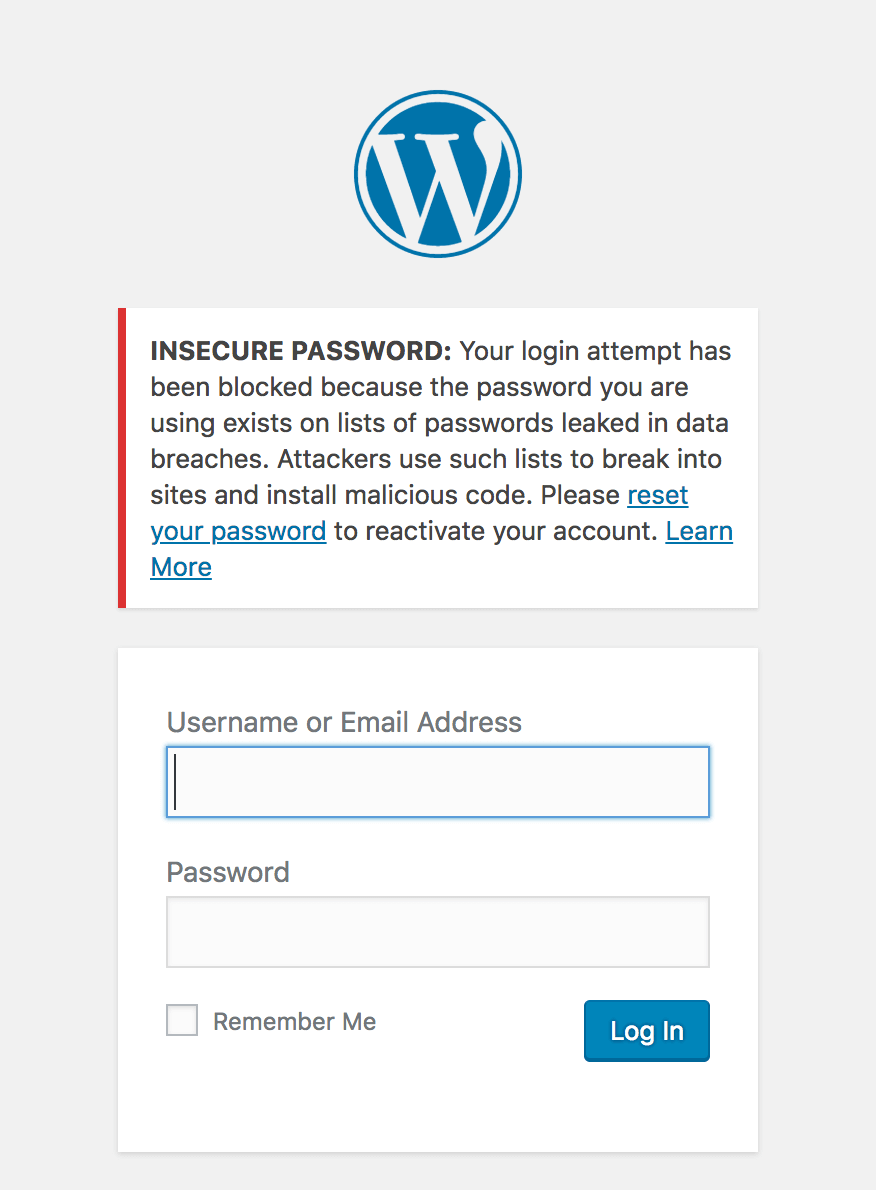
So, we’ve introduced a new feature within Wordfence to block logins for administrators that use a known compromised password. Any administrator using a password previously seen in a breach will need to reset their password to log in. The new feature is available as of today with the release of Wordfence 7.1.0.
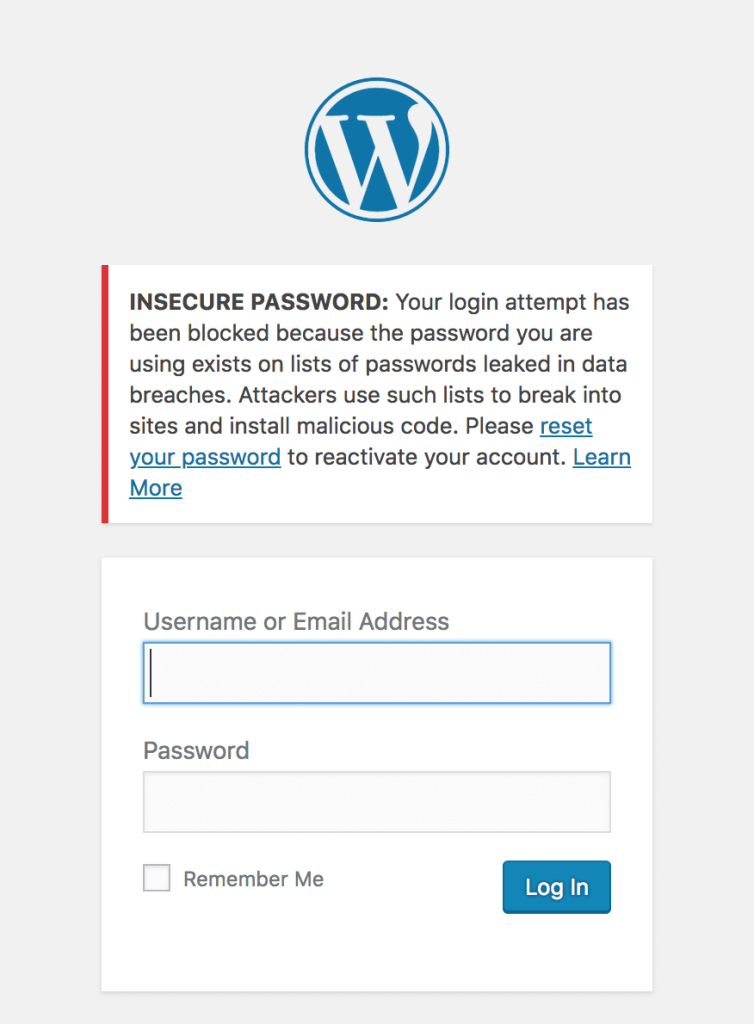
We’ve done this by integrating Wordfence’s login security with the database provided by Troy Hunt’s version 2 of the Pwned Passwords API. Troy has built a substantial list of 501 million compromised passwords across 270 breaches. We’d suggest you read his post describing the new features and data that have gone into this new version.
Privacy Improvements in Version 2 of Pwned Passwords
We’ve looked at integrating Pwned Passwords in the past, but have been reluctant to risk sending insecure data about any non-compromised passwords to a third-party service. The options that version 1 of the Pwned Passwords API provided allowed users to send either the SHA1 hash of a password (which is insecure, as far as password hashes go), or the plain text password to check if it’s been used in a breach. The other option would be to include the full password list in order to compare it to the user’s password, but that’s not feasible to include within Wordfence, given that it’s around 30GB of data total.
Version 2 of Pwned Passwords introduces a new feature to detect if a password is compromised without sending enough information about the password to be useful in case a hacker tried to reverse it. It works by sending the first 5 characters of the SHA1 hash of the password to the API. The API responds with a list of all SHA1 hashes from the full list of 501 million that start with those 5 characters. It ends up averaging around 475 hashes returned for each 5 character prefix.
To illustrate with an example:
The SHA1 hash of Bob Smith’s password “pony123” is E24F4B083C2F925CC894B2F04BAA7D83B7A5E669. We’d send the first 5 chars (E24F4) to our API:
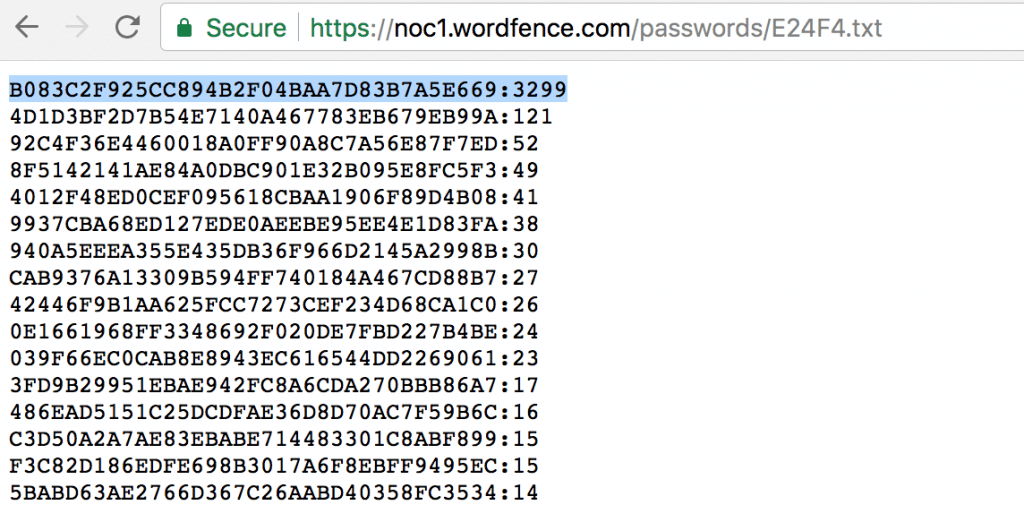
We can then check to see if the remaining 35 characters of the hash (B083C2F925CC894B2F04BAA7D83B7A5E669) is in the list, and we can see it’s the first item in the list. The format of each item in the list is the remaining 35 characters hash suffix and the number of times this password has appeared in breaches, so we can see that Bob Smith’s password has been seen 3299 times across multiple breaches by multiple users. It’s probably a good idea that Bob Smith (and anyone else using “pony123”) update his password.
How We’ll Be Rolling Out This Feature
Since we have the number of times each password has been seen across all breaches, this allows us to gauge the severity of password reuse and risk to the site owner. Any password that’s been seen 10 or more times in previous breaches will blocked from logging in. We will gradually expand this to include all passwords in the database over the next week.
Farewell to the Password Audit
With the introduction of this new login protection, Wordfence will be removing the password audit feature. The password audit dictionary was based on password lists leaked from breaches. The functionality provided by the password audit is mostly redundant if we’re able to prevent the same compromised passwords from being used to login in the first place. This approach takes a more active role in preventing weak passwords from being used maliciously.
Recommendations
This new feature is enabled by default for administrators. To manage the settings of this feature, log in to your WordPress admin panel and navigate to: Wordfence → Firewall → Manage Brute Force Protection → Prevent the use of passwords leaked in data breaches.
- Ensure that you have strong passwords on all user accounts, especially admin. Wordfence provides an option to enforce strong passwords when creating/updating a user account under “Login Security Options”.
- Change your admin username from the default ‘admin’ to something harder to guess.
- Delete any unused accounts, especially admin accounts that you don’t use. This reduces your attack surface.
- Enable two-factor authentication on all admin accounts. Wordfence Premium provides two-factor.
- Verify your email address has not been part of a breach.
- Verify your password has not been exposed in a breach.
- Do not reuse a password on multiple services. That way, if your password from a data breach appears in this database, it won’t be the same as your WordPress admin password, or across multiple sites you manage. You can use a password manager like 1password to manage many passwords across services.
The post New Feature Protects Against Password Leak Attacks appeared first on Wordfence.