Last spring, after discussing the tools and tech used by our team, we published a list of 51 Tools for Security Analysts. The article was well-received, and the comments offered some great suggestions to top it all off.
This post is Copyright 2018 Defiant, Inc. and was published on the wordfence.com official blog. Republication of this post without permission is prohibited. You can find this post at: https://www.wordfence.com/blog/2018/06/top-tools-for-security-analysts-in-2018/
In the spirit of that list we’d like to offer our updated 2018 edition, featuring the Defiant team’s top three picks for useful tools across five categories: Information Gathering & Analysis, Penetration Testing, Forensics & Log Analysis, Malware Analysis and the illustrious Other category.

With as multifaceted as the information security sphere is, you’ll probably notice a bit of bias from our roots in web application security. A researcher who spends their time reverse-engineering Windows malware binaries will surely have a different opinion on the best tools for malware analysis. What are your picks? We’d love to hear them in the comments.
Note: While each category contains our top three picks, the selections themselves are presented in no particular order.
Information Gathering & Analysis
Google
Since Google is effectively the source of all knowledge, it should be no surprise that we consider it one of the most valuable resources for finding information on the internet. In the scope of security analysis, however, Google’s star shines brightest when it’s used to find things that aren’t intended to be found.

Google Dorking (using advanced search operators to identify sensitive information or vulnerable hosts) can be a powerful technique for those of both good and ill intent. Researchers can leverage Google and other search engines to dig up web-accessible backup files, indicators of insecure web applications, and more. For more specific examples, a popular database of useful dork strings can be found in Exploit-DB’s Google Hacking Database.
Shodan
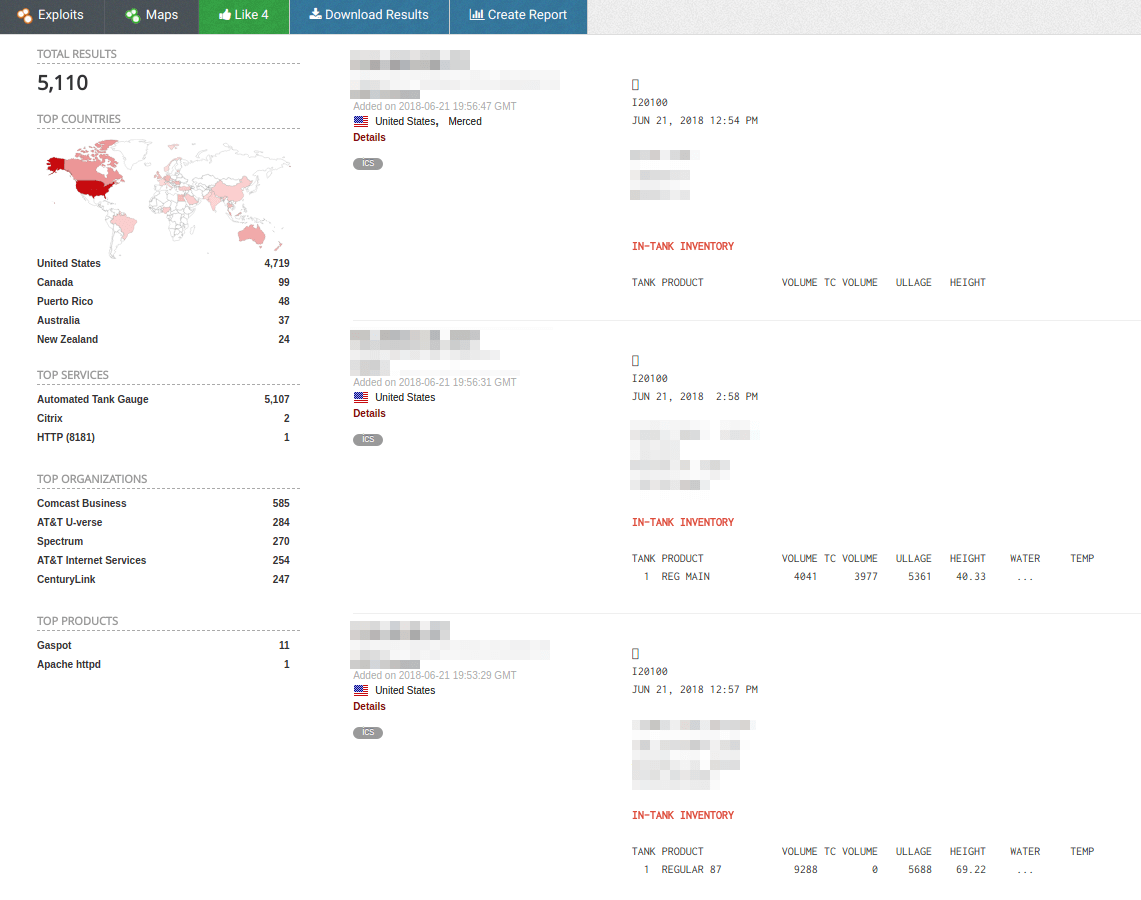
Where Google crawls the internet to make an index of websites, Shodan’s mission is to index internet-connected devices themselves. Shodan sells itself as “The Search Engine for the Internet of Things”, and it delivers on that promise in some interesting ways.

If you’re not familiar, consider stories emerging over the past few years of malicious manipulation of gas pumps worldwide. Nearly all of these stories make reference to the attackers’ use of Shodan in target identification, including an exhaustive whitepaper on the subject by TrendMicro.
Maltego
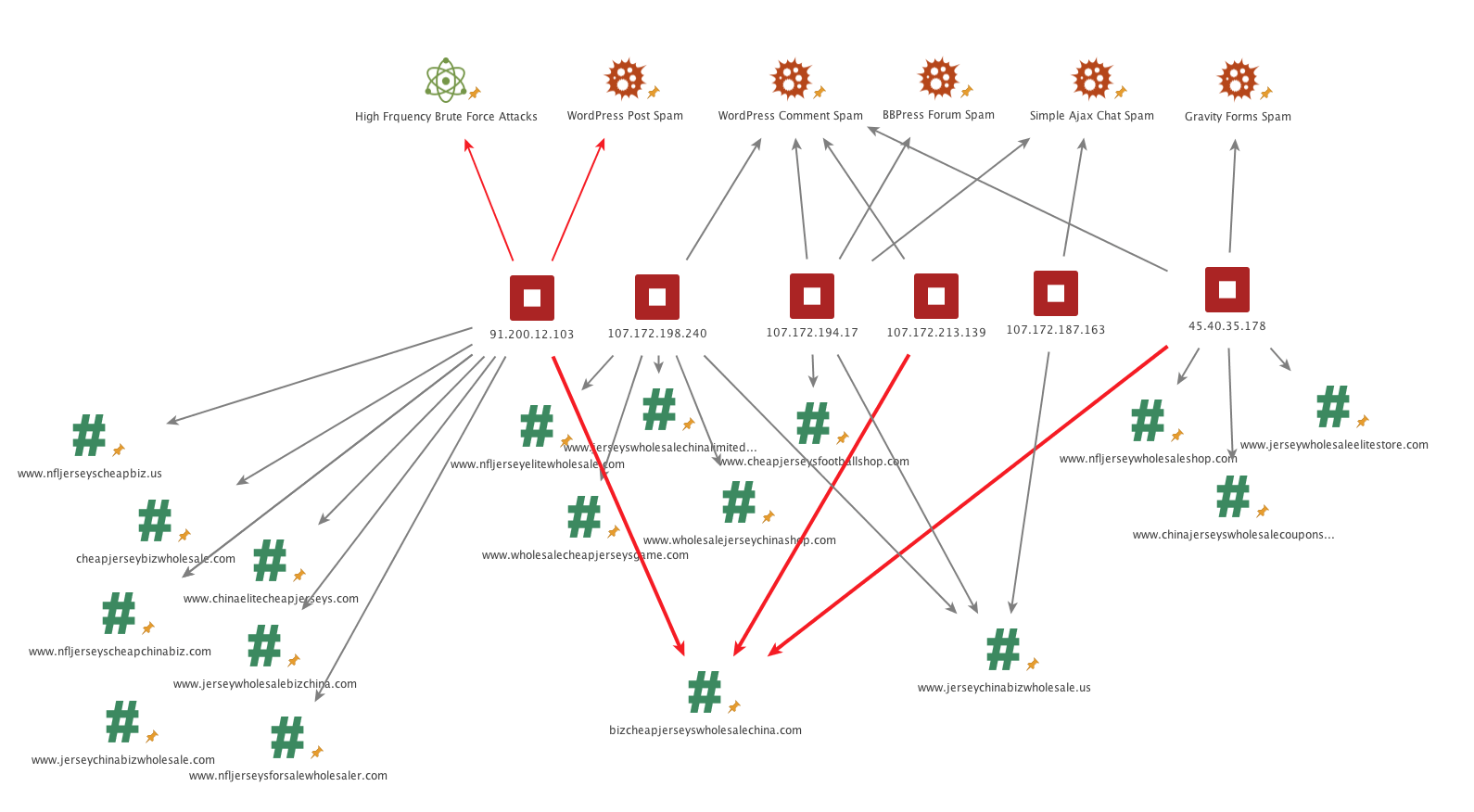
Maltego is an exceptional resource for investigations and general open-source intelligence (OSINT) alike. It provides a platform upon which to aggregate and organize data in order to analyze associations between all sorts of entities like email addresses, social media accounts and web sites.

“Maltego helps us explore the web of malware, attacking hosts, command & control servers, related emails and everything else that goes into our research. It’s a great tool to collaborate on investigating malicious activity, while making sure we don’t leave any loose ends.” – Brad Haas, Senior Security Analyst at Defiant
Penetration Testing
Burp Suite and ZAP
When it comes to full-featured web application penetration testing platforms, the two biggest names are PortSwigger’s Burp Suite and OWASP’s Zed Attack Proxy (ZAP). Most users will find these to be roughly interchangeable, both tools featuring a powerful assortment of features like an intercepting proxy, web spider, and fuzzer. ZAP is completely free and open source, while Burp is a commercial product with a free, slightly limited community edition.

Intercepting and manipulating the requests being sent to a target from your browser is a great first step for any penetration testing exercise, and quality-of-life tools like the Burp Repeater and Zap’s Manual Request Editor allow you to tweak payloads on the fly without interrupting your workflow to make script changes. Overall, it doesn’t hurt to keep both of them handy.
sqlmap
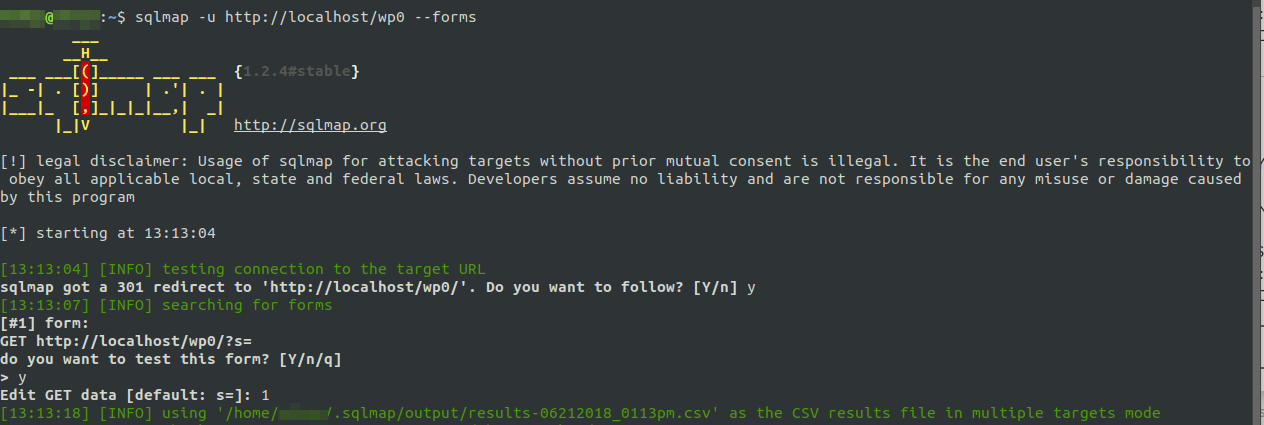
SQL injection vulnerabilities can be devastating if exploited, and for better or worse, sqlmap is really good at finding them. It features a bevy of tests against a variety of DBMS backends from MySQL to Oracle, and can be used to automate much of the process of identifying and attacking injectable points on a site.

Given a list of domains, sqlmap can crawl the sites and automatically perform a series of heuristic tests against any input methods it can identify. Once an injection point is identified, sqlmap remembers it and can then be used to launch a number of attacks. Depending on the security measures in place on the host, sqlmap can perform tasks from dumping the vulnerable database to opening a meterpreter shell to be used as a backdoor.
WPScan
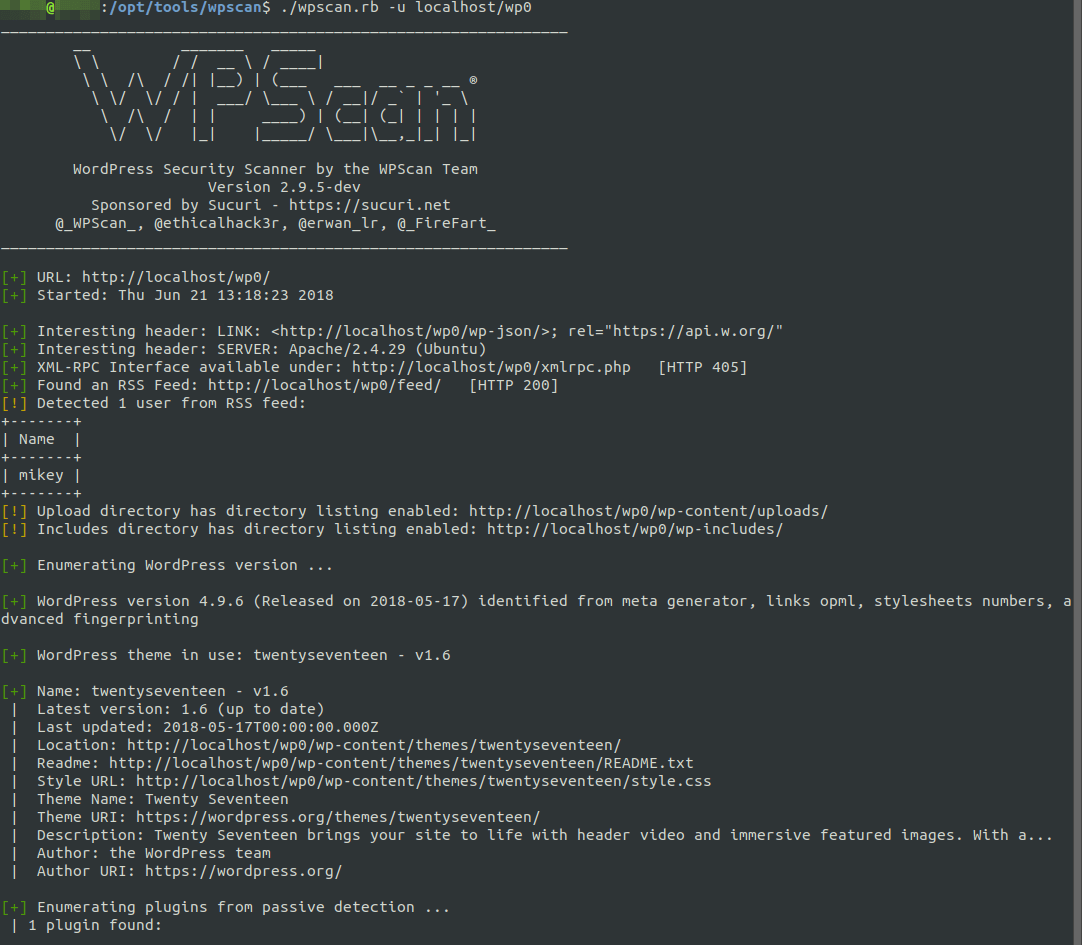
With WordPress pulling in a respectable 59.9% of the CMS market share, it was inevitable that a highly specialized vulnerability scanner like WPScan would be developed for it. Launching WPScan is a common first step in black box audits of WordPress sites, due to its ability to divulge a great deal of information about a typical installation.

WordPress core versions, as well as lists of installed plugins and themes along with their versions can be quickly enumerated with WPScan, and with some additional flags it can reliably enumerate a list of usernames present on the site. WPScan then rounds out the suite with a number of features to evade detection, including User-Agent randomization and a simple proxy implementation that gets along well with Tor routing.
Forensics & Log Analysis
Highlighter
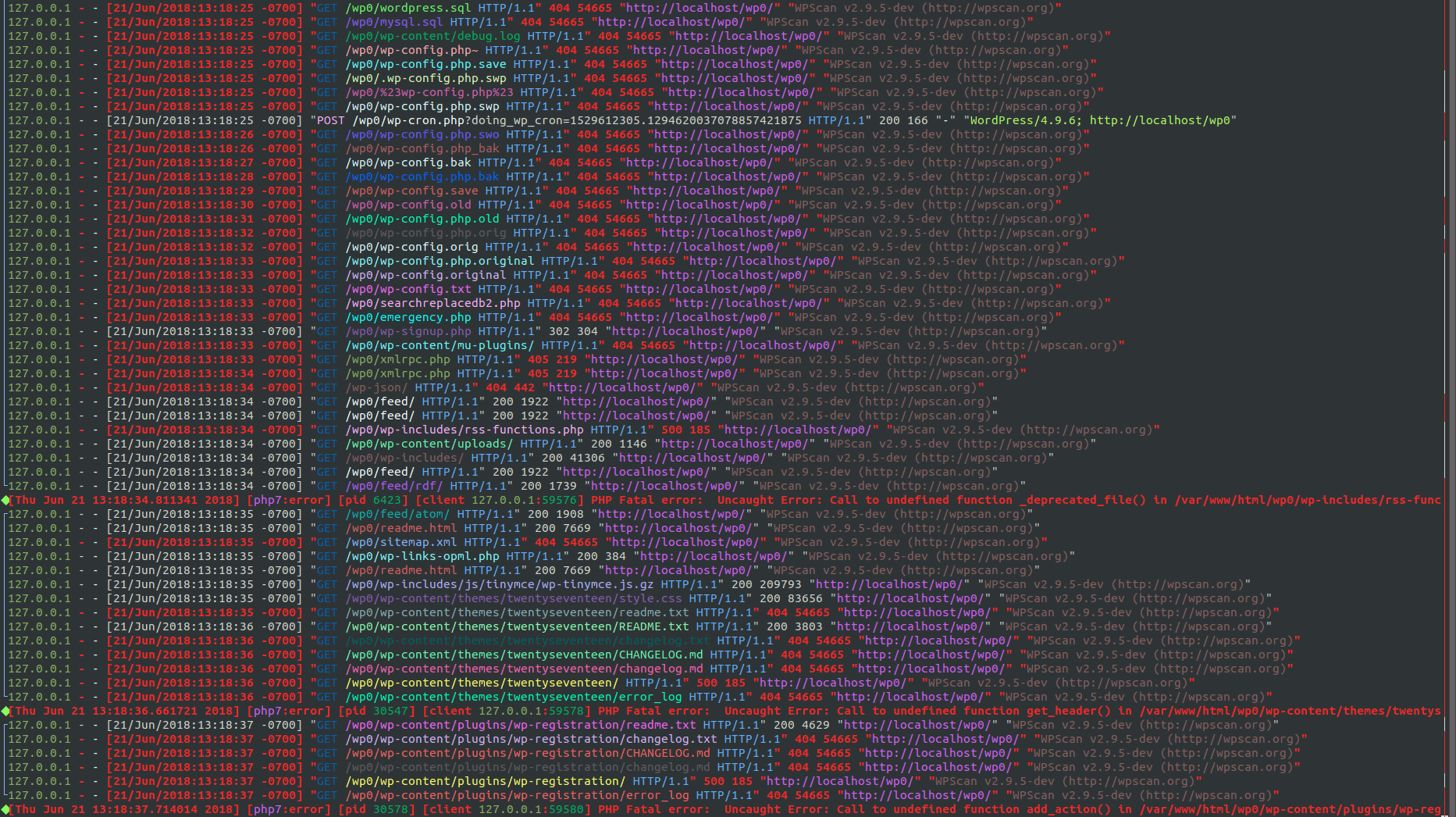
FireEye’s Highlighter is a graphically-focused log analysis utility which can be of great use to administrators and incident response personnel in the wake of an attack.
Viewing a histogram of log activity over time can provide a unique perspective on the timeline of a breach, and the ability to pinpoint keywords and whitelist known good items from your dataset can streamline the analysis process. Unfortunately, Highlighter hasn’t seen a new release since 2011 and thus only officially supports Windows 7 and below, but it certainly holds loyalty from those who started using it a few years ago.
lnav
For the Linux and Mac log reviewers, you can’t beat lnav. It presents itself as a small-scale log viewer, more suitable for quick review of specific data on a single host than tools like Splunk, which are firmly enterprise-scale and often require their own infrastructure.

Cool features like SQL query implementations and easy-to-read syntax highlighting make lnav a no-brainer to implement in log review processes, especially in cases where you’re performing a postmortem review for a third party and no formal log aggregation was in place before you got involved.
The Command Line
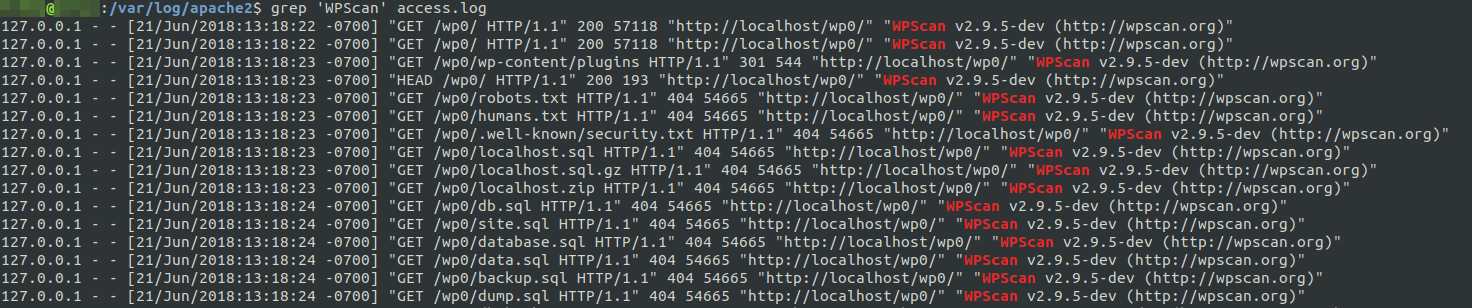
This one might be a bit of a cheat, but we couldn’t pass it up with all the write-ins for grep, awk, and the like on our team survey. Regardless of your workflow or your technology stack, it’s crucial to know your way around the utilities commonly built into the systems with which you interact.

In most cases, it’s also important to leave your comfort zone and familiarize yourself with operating systems you encounter less frequently. For instance, Linux-using researchers may find themselves wishing they knew more PowerShell when encountering a Windows system in an engagement. To help you brush up, the SANS Institute has published a number of easily digestible reference materials, including the Linux Shell Survival Guide and the PowerShell Cheat Sheet.
Malware Analysis
UnPHP
Web-based malware is commonly masked by one or more layers of obfuscation, where the code is deliberately made to be difficult or impossible for humans to read. UnPHP is a solid first-run choice for analysts who encounter obfuscated PHP scripts without the time or experience to deobfuscate them manually.

UnPHP isn’t a panacea, and there are a number of evasions used in malware obfuscation which it can’t quite crunch at this time, but it handles many common techniques with ease. Of particular note is its recursive deobfuscation, as UnPHP can identify when a decoded output is itself obfuscated and automatically process the new layer. Even though it may not solve everything you throw at it, it’s still a valuable time-saver for anyone who comes across obfuscated PHP.
CyberChef
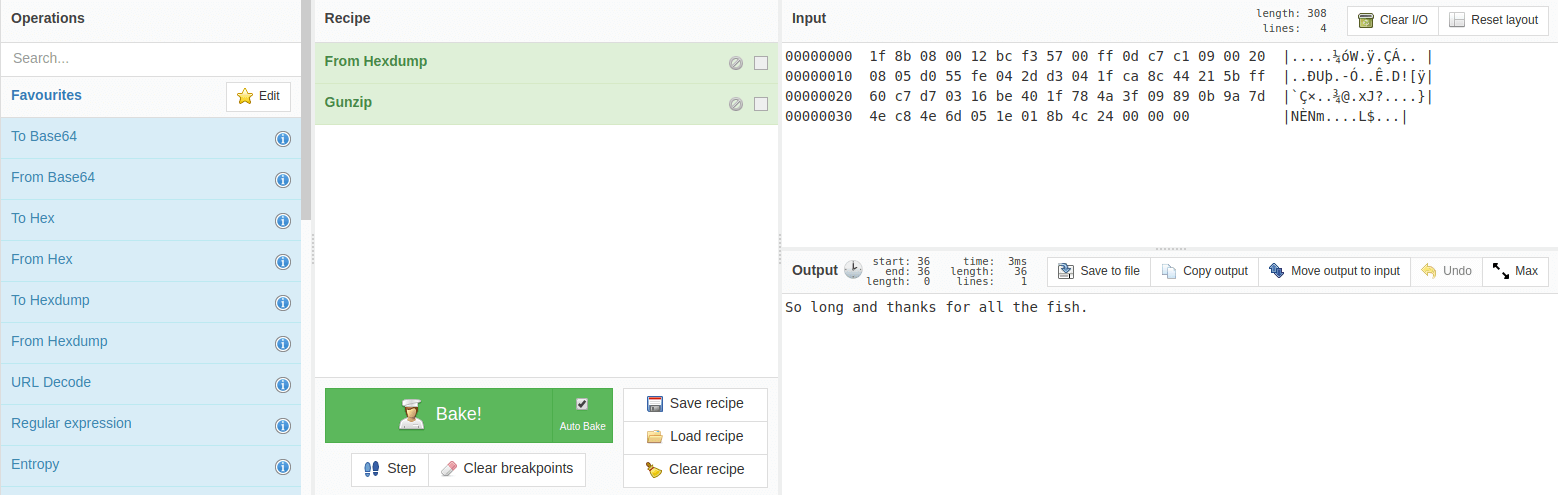
Where clean interface design and an “automate the boring stuff” mindset collide, we get CyberChef. CyberChef is an easy-to-use web application built to accommodate a number of data manipulation tasks, from simple encoding and decoding to encryption and compression, in a repeatable format.

To this end, CyberChef allows the user to create and save “recipes” out of a series of operations. Instruction sets like “Gunzip, then ROT13, then Base64 decode, then ROT13 again” can be stored and reloaded to “bake” new inputs repeatedly. These operations can scale up to complete a number of tasks, especially with built-in functions to extract useful strings like IP addresses and emails from the decoded input.
JS Beautifier
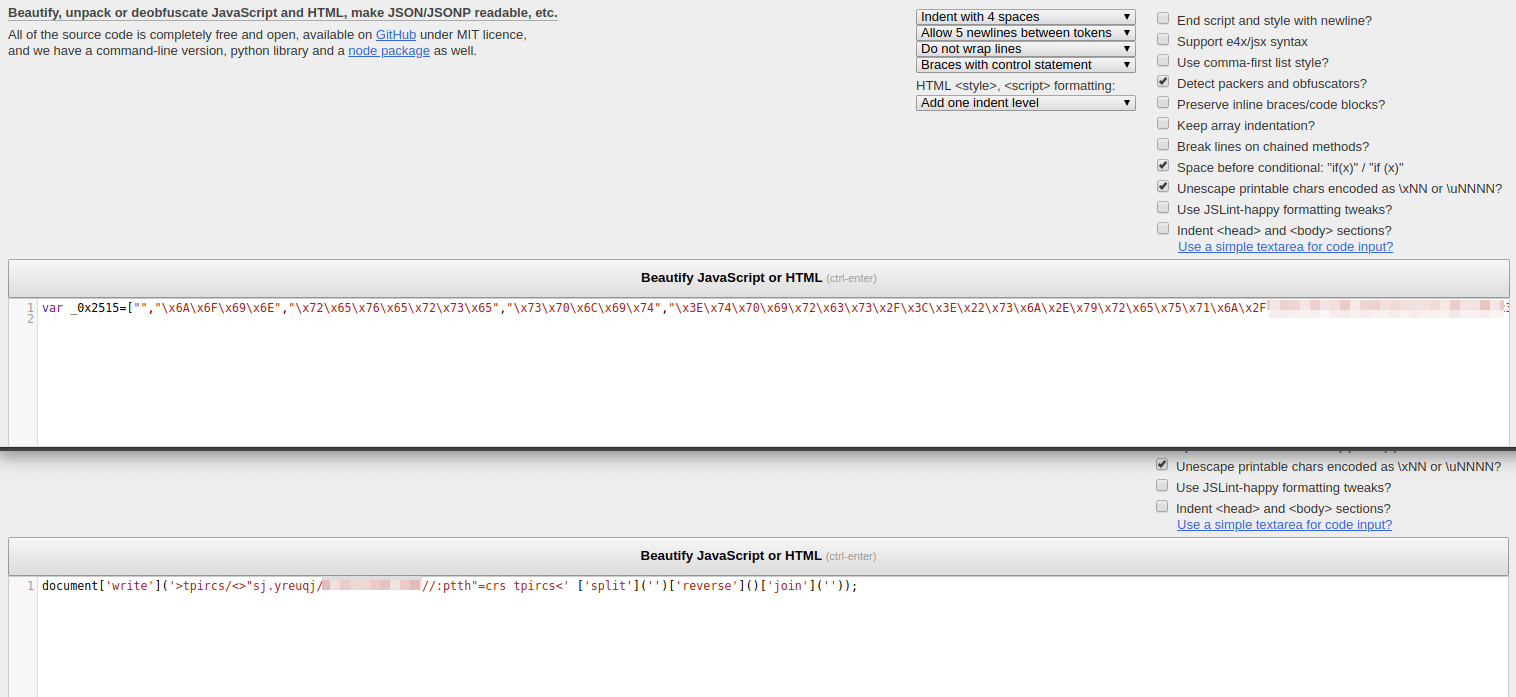
JavaScript minification is a standard process for just about every front-end web developer in the market, and malware developers are no stranger to this. JS Beautifier is a simple online tool used to automate the formatting of minified and obfuscated JavaScript into a human-readable document.

For the purposes of malware deobfuscation in particular, JS Beautifier can detect and reverse common obfuscation methods (notably packer, by Dean Edwards) as well as handling various character encodings like hexadecimal. Like UnPHP above, JS Beautifier isn’t a silver bullet that will take all of the work out of JS malware analysis, but it’s an excellent first step in almost every case.
Other
Regex101
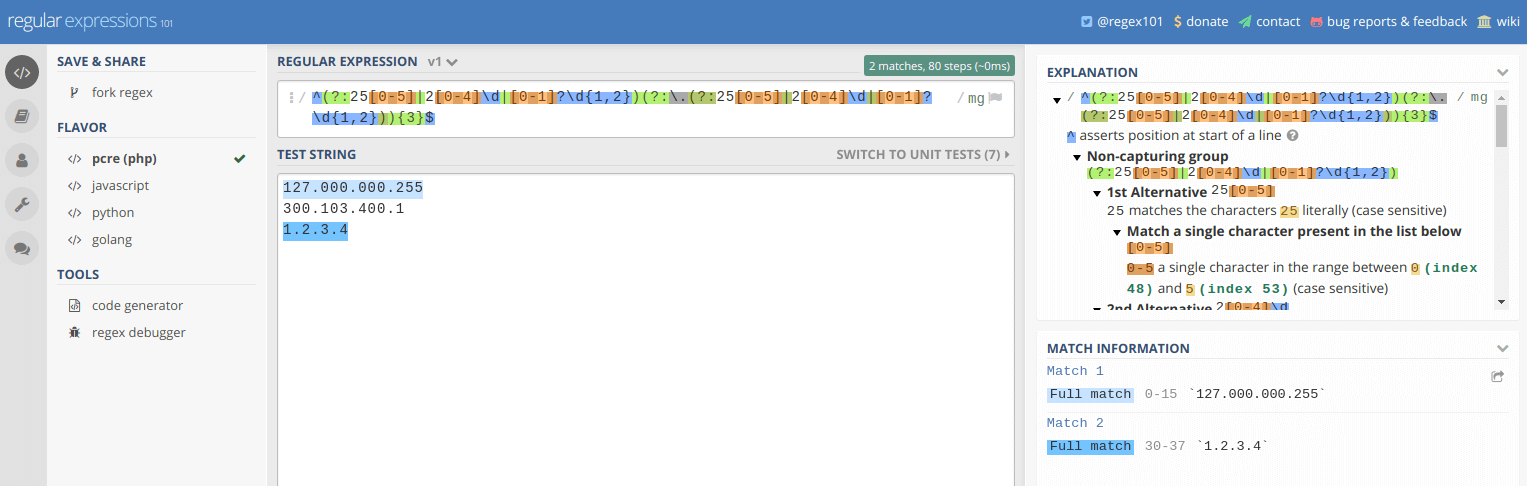
Whether writing a regular expression is a daily task or an occasional solution to a problem, Regex101 is sure to be of use. Users inexperienced with regex will quickly appreciate the availability of quick reference materials and a powerful Explanation view, which provides you with a breakdown of why your expression behaves the way it does.

Experienced users can make great use of Regex101 as well. The built-in debugger allows developers to observe their regex as it runs step-by-step, which helps to identify performance improvements. Even simply watching Regex101 follow along as you write an expression, highlighting matching content in your test string as you go, can be of great assistance in preventing simple issues in complex regular expressions that may have been considerably more difficult to debug if written unassisted.
Have I Been Pwned?
Troy Hunt’s massive breach data aggregation project Have I Been Pwned? is a staple in information security awareness efforts. HIBP gives anyone on the internet the chance to know whether their personal data was associated with a publicly-known security breach. It provides a user-friendly breakdown of what particular data may have been stolen, as well as the source of each breach, if known. There’s also a separate API to check whether a given password has appeared in a breach, which we’ve built into Wordfence in an effort to prevent WordPress users from using compromised passwords.

While HIBP is of some use as a research tool, it excels at helping the layperson grasp the importance of security best practices. After all, there’s really no better way to convince your relatives that password reuse is dangerous than by showing them their data has probably already been breached.
Noscript / uMatrix
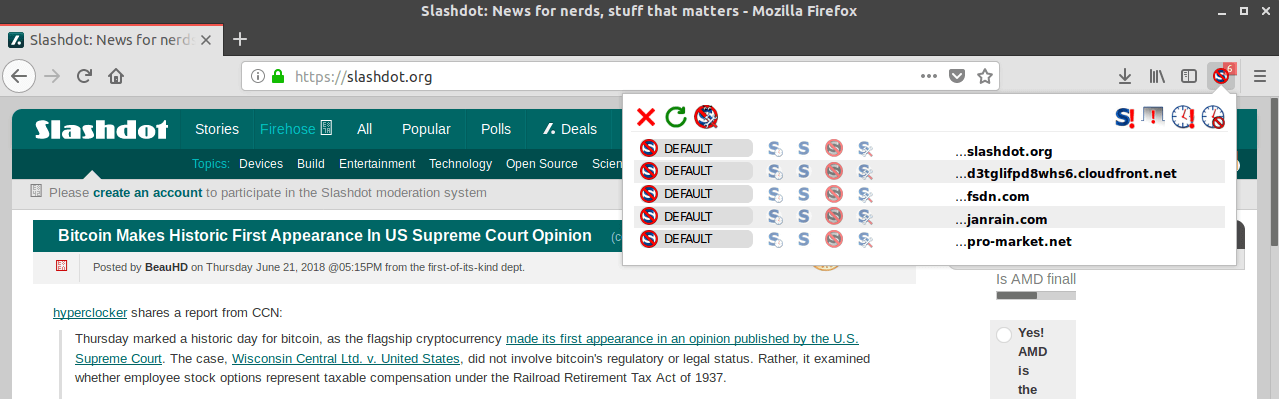
Spending any amount of time interacting with infected websites has the potential to be unsafe, or at the very least annoying. Malicious scripts on the sites in question will be attempting a number of behaviors, like browser redirects and cryptomining, so having a readily-configurable browser extension to protect yourself from these scripts is important.

NoScript has been the giant in this market since the mid-2000s, providing users with the ability to automatically block all scripts from executing until whitelisted by domain or on a per-script basis. However, it’s currently only compatible with Firefox and other Mozilla software, which can be a limiting factor for many users.
The browser gap is largely filled by uMatrix, a browser firewall developed by the creator of the popular ad blocker uBlock Origin. uMatrix is compatible with Firefox, Chrome, and Opera, and offers similar functionality to NoScript in terms of unwanted script filtering. While it offers a bit more to the power-user, uMatrix is definitely less user-friendly than NoScript, and you’ll find “For Advanced Users” warnings across its entries in browser addon repositories and its GitHub project alike.
Conclusion
To reiterate, this list is far from exhaustive. There are tools built to solve all sorts of problems, from the generic to specific, across every niche security specialty imaginable. This post simply serves as a handy reference for the utilities that we find ourselves using most commonly.
Lastly, it should go without saying that a number of these tools have the potential to be dangerous if used unethically. Never launch a penetration test against a system you don’t have explicit authority to be testing. These powers should only be used for good.
The post Top Tools for Security Analysts in 2018 appeared first on Wordfence.